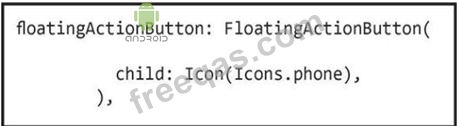
Flutter widgets are the basic building blocks of a Flutter user interface. Almost everything in Flutter app is a widget such as images, icons, texts, menus, buttons, row, column etc.
Check the image in this question first, then assume that you added this Dart code in a Flutter app to create three radio buttons to your app interface. However; you got an error message. There is something that is still missing in this code.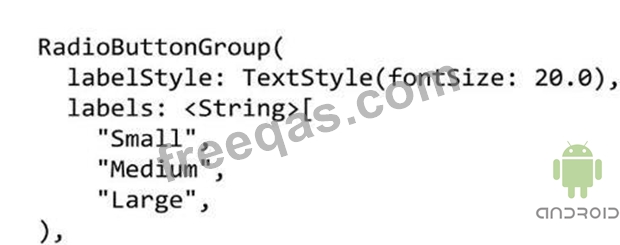
What should you do to correct the error in this code?
The image in this question includes a Dart code for a Raised button widget. When the app user taps this button, the app will display the content of Screen2( ) class of this app using Navigator.push navigation technique.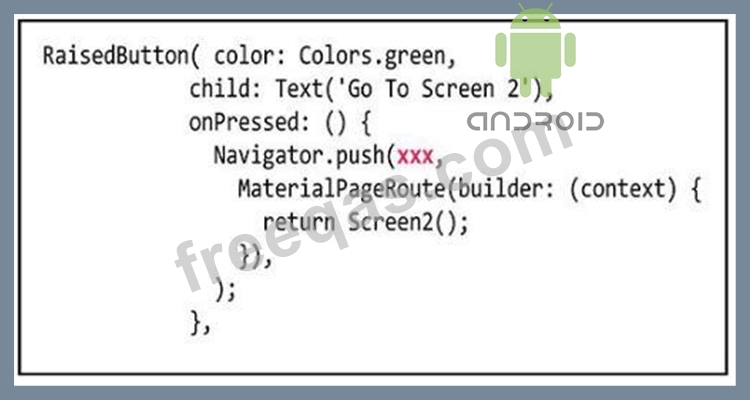
To do this you should replace the xxx in this Navigator.push class with ............
Assume that you designed a Flutter app as illustrated in the image of this question. When you tapped the
"Bottom Sheet" button, you got a bottom sheet including the text "Welcome to Android ATC".
But, you were not able to tap the "Test Button" button in this app interface when this bottom sheet was active.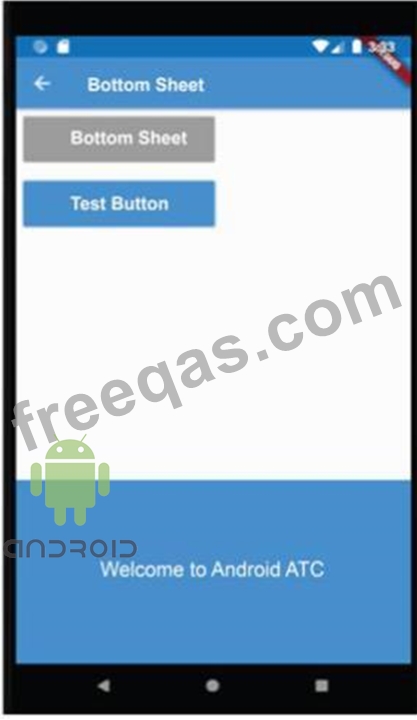
Which of the following choices about the type of this Bottom Sheet Widget is correct?