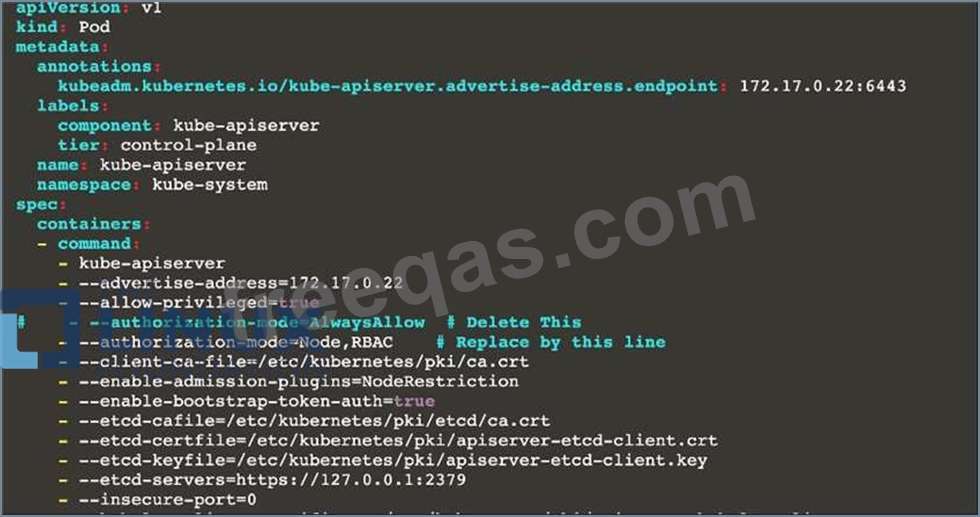
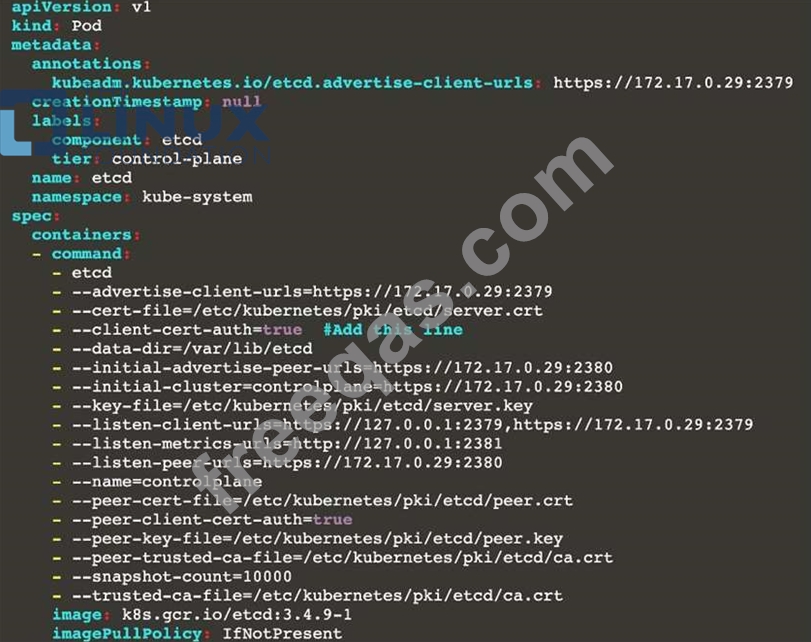
You can switch the cluster/configuration context using the following command: [desk@cli] $ kubectl config use-context dev Context: A CIS Benchmark tool was run against the kubeadm created cluster and found multiple issues that must be addressed. Task: Fix all issues via configuration and restart the affected components to ensure the new settings take effect. Fix all of the following violations that were found against the API server: 1.2.7 authorization-mode argument is not set to AlwaysAllow FAIL 1.2.8 authorization-mode argument includes Node FAIL 1.2.7 authorization-mode argument includes RBAC FAIL Fix all of the following violations that were found against the Kubelet: 4.2.1 Ensure that the anonymous-auth argument is set to false FAIL 4.2.2 authorization-mode argument is not set to AlwaysAllow FAIL (Use Webhook autumn/authz where possible) Fix all of the following violations that were found against etcd: 2.2 Ensure that the client-cert-auth argument is set to true
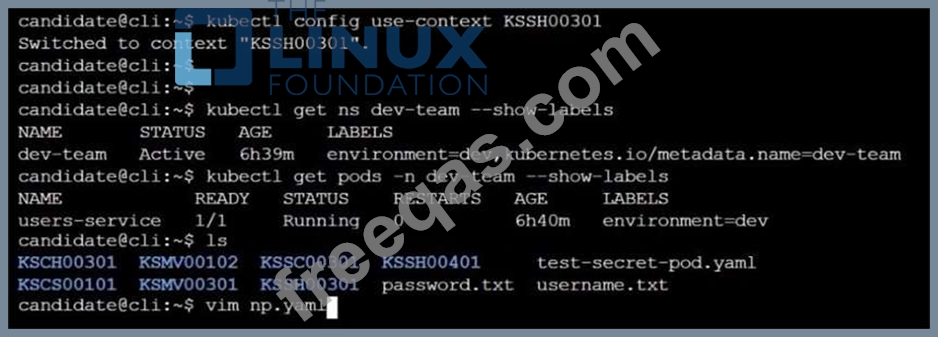
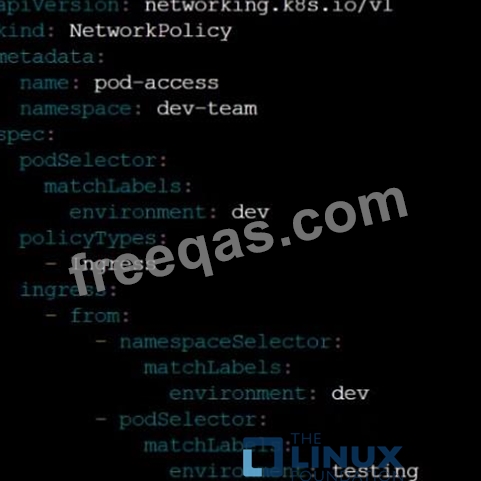
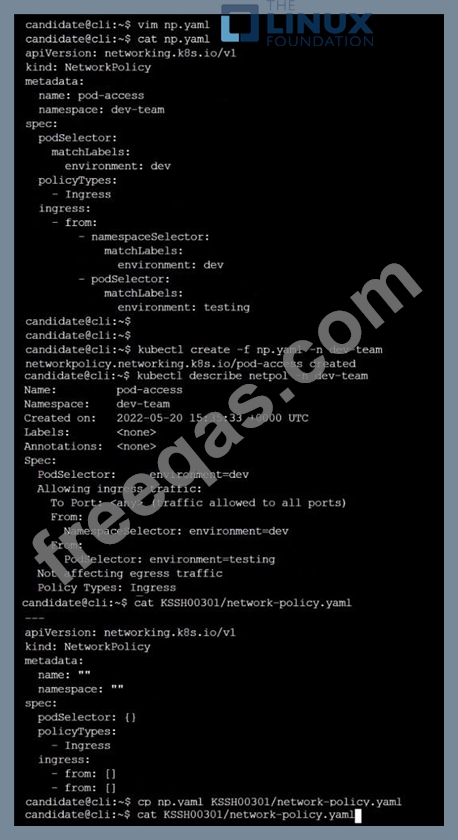
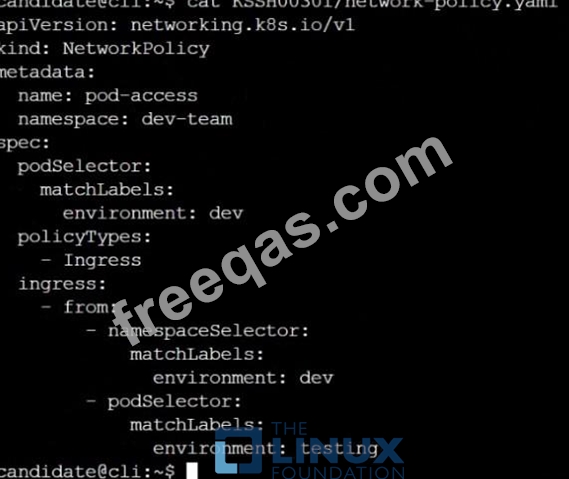
Cluster: qa-cluster Master node: master Worker node: worker1 You can switch the cluster/configuration context using the following command: [desk@cli] $ kubectl config use-context qa-cluster Task: Create a NetworkPolicy named restricted-policy to restrict access to Pod product running in namespace dev. Only allow the following Pods to connect to Pod products-service: 1. Pods in the namespace qa 2. Pods with label environment: stage, in any namespace
SIMULATION
Given an existing Pod named nginx-pod running in the namespace test-system, fetch the service-account-name used and put the content in /candidate/KSC00124.txt Create a new Role named dev-test-role in the namespace test-system, which can perform update operations, on resources of type namespaces.
Create a new RoleBinding named dev-test-role-binding, which binds the newly created Role to the Pod's ServiceAccount ( found in the Nginx pod running in namespace test-system).
SIMULATION
Create a PSP that will prevent the creation of privileged pods in the namespace.
Create a new PodSecurityPolicy named prevent-privileged-policy which prevents the creation of privileged pods.
Create a new ServiceAccount named psp-sa in the namespace default.
Create a new ClusterRole named prevent-role, which uses the newly created Pod Security Policy prevent-privileged-policy.
Create a new ClusterRoleBinding named prevent-role-binding, which binds the created ClusterRole prevent-role to the created SA psp-sa.
Also, Check the Configuration is working or not by trying to Create a Privileged pod, it should get failed.
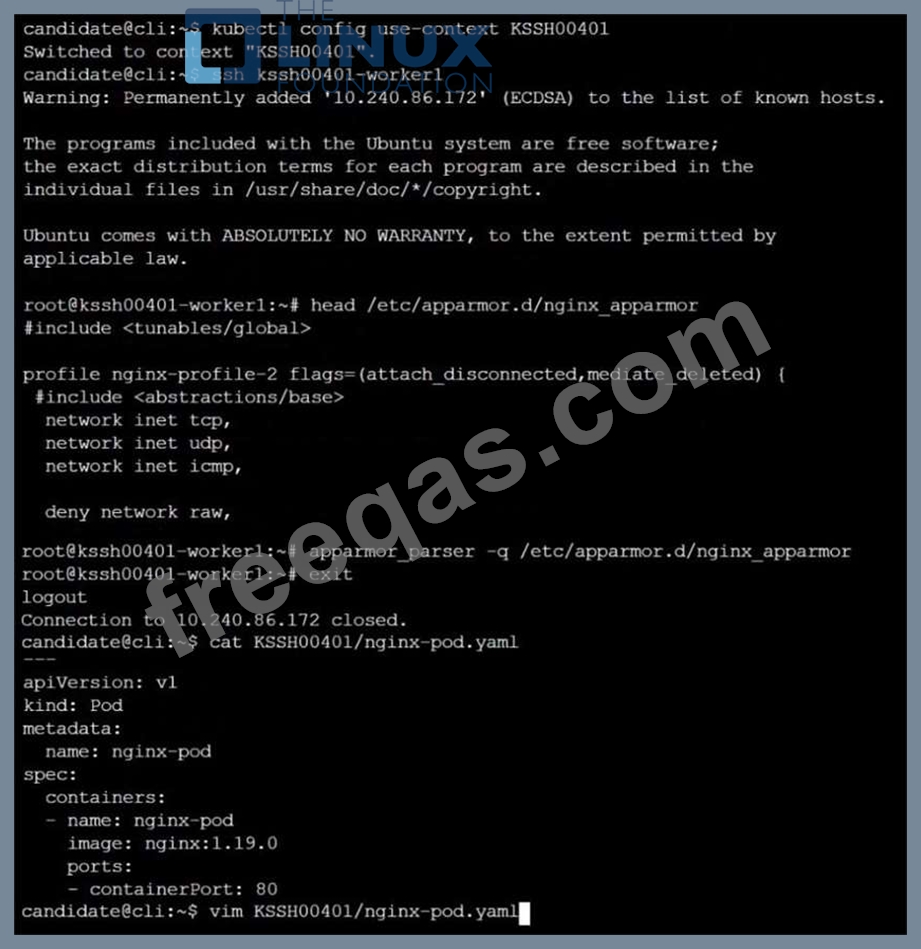
On the Cluster worker node, enforce the prepared AppArmor profile
#include <tunables/global>
profile nginx-deny flags=(attach_disconnected) {
#include <abstractions/base>
file,
# Deny all file writes.
deny /** w,
}
EOF'
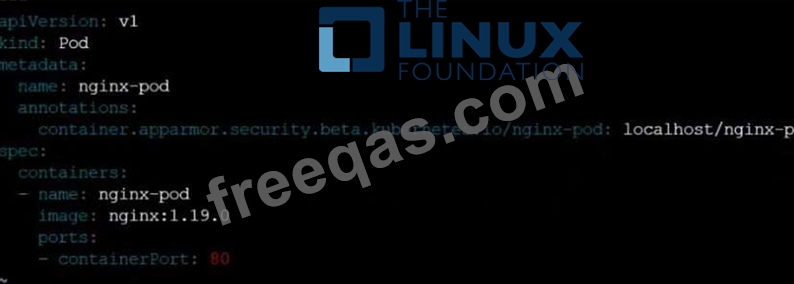
Edit the prepared manifest file to include the AppArmor profile.
apiVersion: v1
kind: Pod
metadata:
name: apparmor-pod
spec:
containers:
- name: apparmor-pod
image: nginx
Finally, apply the manifests files and create the Pod specified on it.
Verify: Try to make a file inside the directory which is restricted.

Enter your email address to download LinuxFoundation.CKS.v2023-09-04.q37 Dumps

