FreeQAs
 Request Exam  Contact
  • Home
  • View All Exams
  • New QA's
  • Upload
PRACTICE EXAMS:
  • Oracle
  • Fortinet
  • Juniper
  • Microsoft
  • Cisco
  • Citrix
  • CompTIA
  • VMware
  • ISC
  • SAP
  • EMC
  • PMI
  • HP
  • Salesforce
  • Other
  • Oracle
    Oracle
  • Fortinet
    Fortinet
  • Juniper
    Juniper
  • Microsoft
    Microsoft
  • Cisco
    Cisco
  • Citrix
    Citrix
  • CompTIA
    CompTIA
  • VMware
    VMware
  • ISC
    ISC
  • SAP
    SAP
  • EMC
    EMC
  • PMI
    PMI
  • HP
    HP
  • Salesforce
    Salesforce
  1. Home
  2. Microsoft Certification
  3. AZ-303 Exam
  4. Microsoft.AZ-303.v2022-12-15.q122 Dumps
  • ««
  • «
  • …
  • 12
  • 13
  • 14
  • 15
  • 16
  • 17
  • 18
  • 19
  • 20
  • 21
  • …
  • »
  • »»
Download Now

Question 76

HOTSPOT
You create and save an Azure Resource Manager template named Template1 that includes the following four sections.
Section1.

Section2.

Section3.

Section4.

You deploy Template1.
For each of the following statements, select Yes if the statement is true. Otherwise, select No.
NOTE: Each correct selection is worth one point.
Hot Area:

Correct Answer:

Section: [none]
insert code

Question 77

You create the following Azure role definition.

You need to create Role1 by using the role definition.
Which two values should you modify before you create Role1? Each correct answer presents part of the solution.
NOTE: Each correct selection is worth one point.

Correct Answer: A,D
Explanation
Part of example:
"IsCustom": true,
"AssignableScopes": [
"/subscriptions/{subscriptionId1}",
"/subscriptions/{subscriptionId2}",
"/subscriptions/{subscriptionId3}"
The following shows what a custom role looks like as displayed in JSON format. This custom role can be used for monitoring and restarting virtual machines.
{
"Name": "Virtual Machine Operator",
"Id": "88888888-8888-8888-8888-888888888888",
"IsCustom": true,
"Description": "Can monitor and restart virtual machines.",
"Actions": [
"Microsoft.Storage/*/read",
"Microsoft.Network/*/read",
"Microsoft.Compute/*/read",
"Microsoft.Compute/virtualMachines/start/action",
"Microsoft.Compute/virtualMachines/restart/action",
"Microsoft.Authorization/*/read",
"Microsoft.ResourceHealth/availabilityStatuses/read",
"Microsoft.Resources/subscriptions/resourceGroups/read",
"Microsoft.Insights/alertRules/*",
"Microsoft.Insights/diagnosticSettings/*",
"Microsoft.Support/*"
],
"NotActions": [],
"DataActions": [],
"NotDataActions": [],
"AssignableScopes": [
"/subscriptions/{subscriptionId1}",
"/subscriptions/{subscriptionId2}",
"/subscriptions/{subscriptionId3}"
]
}
Reference:
https://docs.microsoft.com/en-us/azure/role-based-access-control/custom-roles
insert code

Question 78

HOTSPOT
You have an Azure subscription named Subscription1.
In Subscription1, you create an alert rule named Alert1.
The Alert1 action group is configured as shown in the following exhibit.

Alert1 alert criteria is triggered every minute.
Use the drop-down menus to select the answer choice that completes each statement based on the information presented in the graphic.
NOTE: Each correct selection is worth one point.
Hot Area:

Correct Answer:

Section: [none]
Explanation:
Box 1: 60
One alert per minute will trigger one email per minute.
Box 2: 12
No more than 1 SMS every 5 minutes can be send, which equals 12 per hour.
Note: Rate limiting is a suspension of notifications that occurs when too many are sent to a particular phone number, email address or device. Rate limiting ensures that alerts are manageable and actionable.
The rate limit thresholds are:
* SMS: No more than 1 SMS every 5 minutes.
* Voice: No more than 1 Voice call every 5 minutes.
* Email: No more than 100 emails in an hour.
* Other actions are not rate limited.
Reference:
https://github.com/MicrosoftDocs/azure-docs/blob/master/articles/azure-monitor/overview.md
insert code

Question 79

You need to configure the Device settings to meet the technical requirements and the user requirements.
Which two settings should you modify? To answer, select the appropriate settings in the answer area.

Correct Answer:

Explanation:
Box 1: Selected
Only selected users should be able to join devices
Box 2: Yes
Require Multi-Factor Auth to join devices.
From scenario:
* Ensure that only users who are part of a group named Pilot can join devices to Azure AD
* Ensure that when users join devices to Azure Active Directory (Azure AD), the users use a mobile phone to verify their identity.
insert code

Question 80

SIMULATION
Click to expand each objective. To connect to the Azure portal, type https://portal.azure.com in the browser address bar.


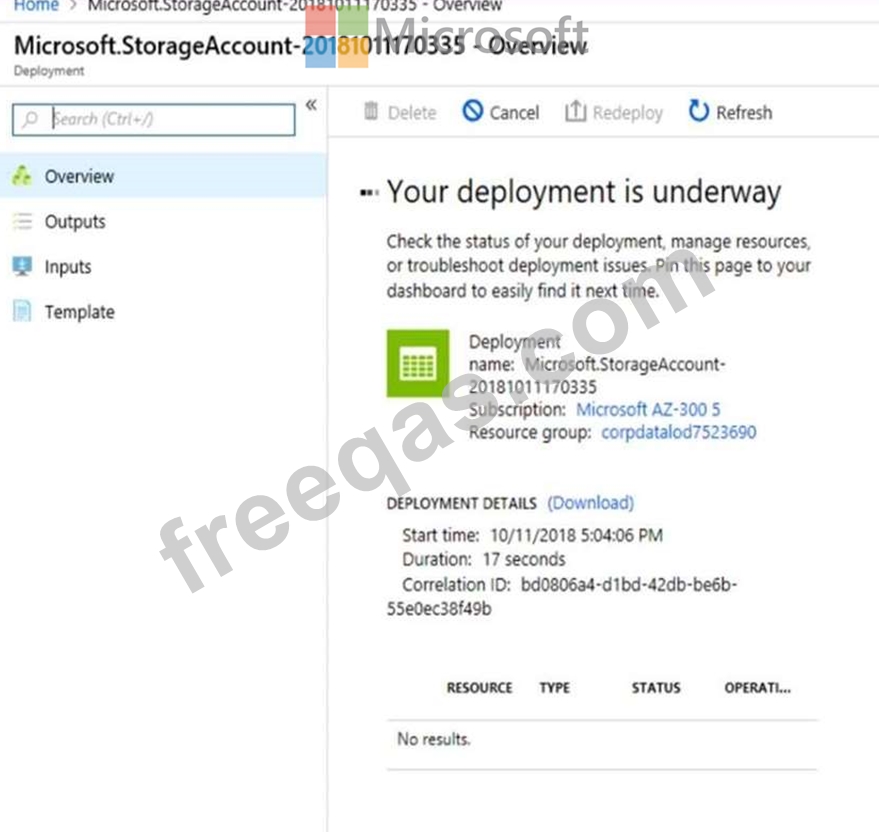


When you are finished performing all the tasks, click the 'Next' button.
Note that you cannot return to the lab once you click the 'Next' button. Scoring occur in the background while you complete the rest of the exam.
Overview
The following section of the exam is a lab. In this section, you will perform a set of tasks in a live environment.
While most functionality will be available to you as it would be in a live environment, some functionality (e.g., copy and paste, ability to navigate to external websites) will not be possible by design.
Scoring is based on the outcome of performing the tasks stated in the lab. In other words, it doesn't matter how you accomplish the task, if you successfully perform it, you will earn credit for that task.
Labs are not timed separately, and this exam may have more than one lab that you must complete. You can use as much time as you would like to complete each lab. But, you should manage your time appropriately to ensure that you are able to complete the lab(s) and all other sections of the exam in the time provided.
Please note that once you submit your work by clicking the Next button within a lab, you will NOT be able to return to the lab.
To start the lab
You may start the lab by clicking the Next button.
You need to create a web app named corp10217507n2 that can be scaled horizontally. The solution must use the lowest possible pricing tier for the App Service plan.
What should you do from the Azure portal?


Correct Answer:
See explanation below.
Section: [none]
Explanation:
Step 1:
In the Azure Portal, click Create a resource > Web + Mobile > Web App.
Step 2:
Use the Webb app settings as listed below.
Web App name: corp10217507n2
Hosting plan: Azure App Service plan
Pricing tier of the Pricing Tier: Standard
Change your hosting plan to Standard, you can't setup auto-scaling below standard tier.
Step 3:
Select Create to provision and deploy the Web app.
References:
https://docs.microsoft.com/en-us/azure/app-service/environment/app-service-web-how-to-create-a-web-app-in- an-ase
https://azure.microsoft.com/en-us/pricing/details/app-service/plans/
insert code
  • ««
  • «
  • …
  • 12
  • 13
  • 14
  • 15
  • 16
  • 17
  • 18
  • 19
  • 20
  • 21
  • …
  • »
  • »»
[×]

Download PDF File

Enter your email address to download Microsoft.AZ-303.v2022-12-15.q122 Dumps

Email:

FreeQAs

Our website provides the Largest and the most Latest vendors Certification Exam materials around the world.

Using dumps we provide to Pass the Exam, we has the Valid Dumps with passing guranteed just which you need.

  • DMCA
  • About
  • Contact Us
  • Privacy Policy
  • Terms & Conditions
©2026 FreeQAs

www.freeqas.com materials do not contain actual questions and answers from Cisco's certification exams.