You need to configure the system to resolve User8's issue.
What should you select?
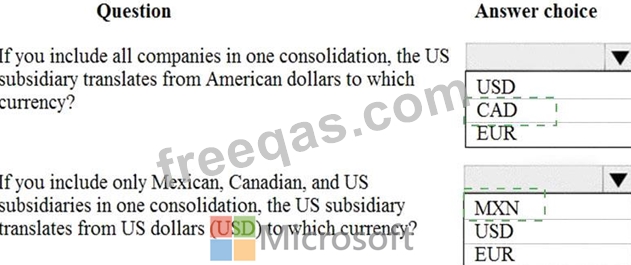
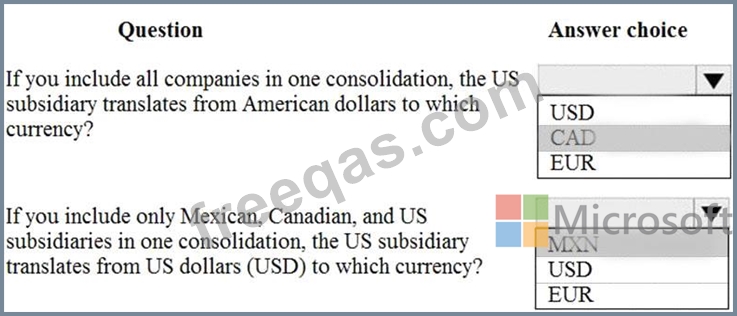
You need to set up legal entity currencies and conversions in Dynamics 365 Finance.
You review the hierarchy for consolidation of multiple legal entities.
Use the drop-down menus to select the answer choice that answers each question based on the information presented in the graphic.
NOTE: Each correct selection is worth one point.
You are implementing a Dynamics 365 for Finance and Operations General ledger module for a client that has multiple legal entities.
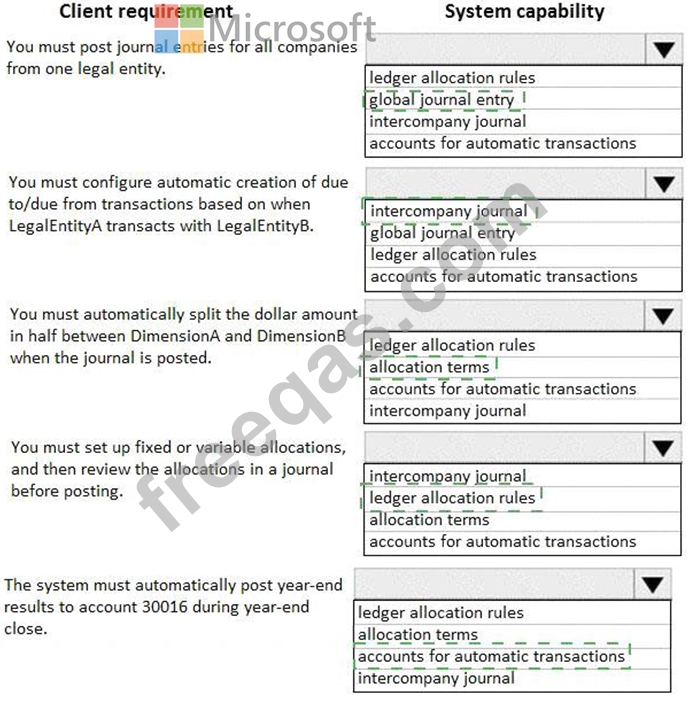
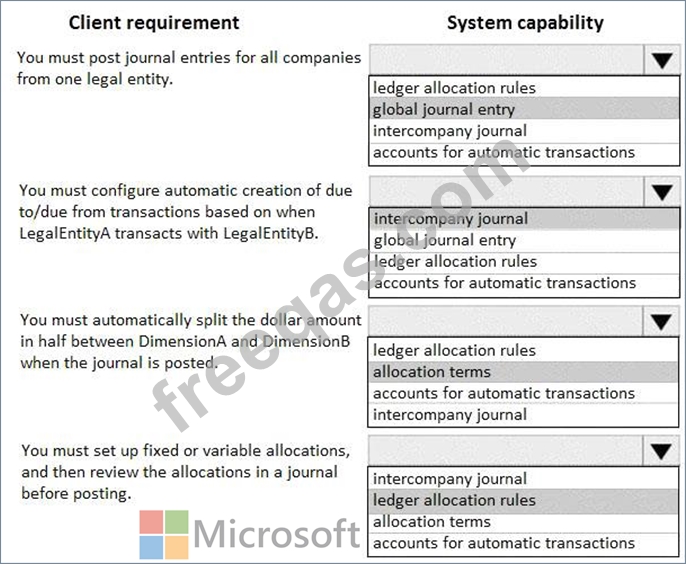
The client has the following requirements:
* Post journal entries for all companies from one legal entity.
* Configure automatic creation of due to/due from transactions based on when LegalEntityA transacts with LegalEntityB.
* Automatically split the dollar amount in half between DimensionA and DimensionB when the journal is posted.
* Set up fixed or variable allocations, and then review the allocations in a journal before posting,
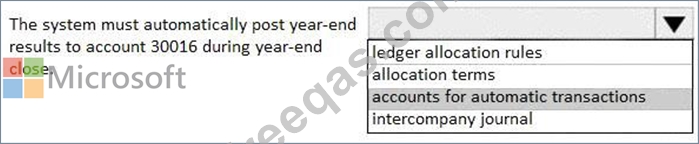
* Automatically post year-end results to account 30016 during year-end close.
You need to configure the system.
Which system capability should you configure? To answer, select the appropriate configuration in the answer area.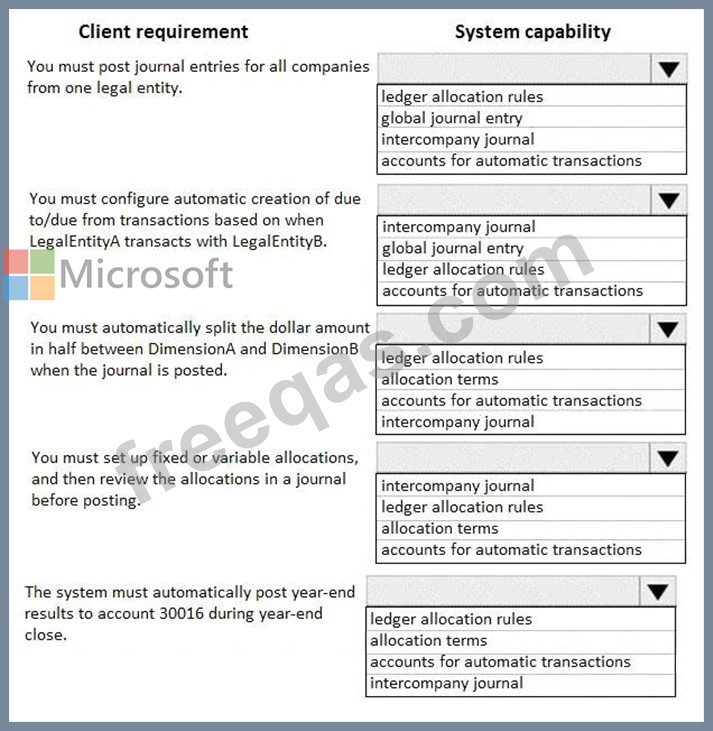
Note: This question is part of a series of questions that present the same scenario. Each question in the series contains a unique solution that might meet the stated goals. Some question sets might have more than one correct solution, while others might not have a correct solution.
After you answer a question in this section, you will NOT be able to return to it. As a result, these questions will not appear in the review screen.
A client has one legal entity, two departments, and two divisions. The client is implementing Dynamics 365 Finance. The departments and divisions are set up as financial dimensions.
The client has the following requirements:
Only expense accounts require dimensions posted with the transactions.
Users must not have the option to select dimensions for a balance sheet account.
You need to configure the ledger to show applicable financial dimensions based on the main account selected in journal entry.
Solution: Configure one account structure for expense accounts and apply advanced rules.
Does the solution meet the goal?
Note: This question is part of a series of questions that present the same scenario. Each question in the series contains a unique solution that might meet the stated goals. Some question sets might have more than one correct solution, while others might not have a correct solution.
After you answer a question in this section, you will NOT be able to return to it. As a result, these questions will not appear in the review screen.
A client has one legal entity, two departments, and two divisions. The client is implementing Dynamics 365 Finance. The departments and divisions are set up as financial dimensions.
The client has the following requirements:
Only expense accounts require dimensions posted with the transactions.
Users must not have the option to select dimensions for a balance sheet account.
You need to configure the ledger to show applicable financial dimensions based on the main account selected in journal entry.
Solution: Configure two account structures: one for expense accounts and include applicable dimensions, and one for balance sheet and exclude financial dimensions.
Does the solution meet the goal?

