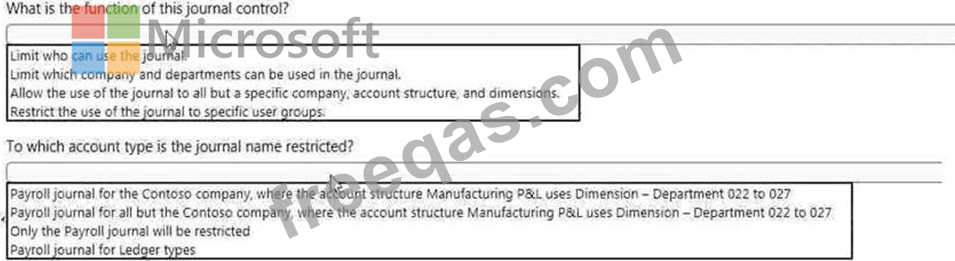
You are configuring the basic budgeting for a Dynamics 365 Finance environment.
You need to configure the types of entries allowed.
Which two configurations can you use? Each correct answer presents a complete solution.
NOTE: Each correct selection is worth one point,
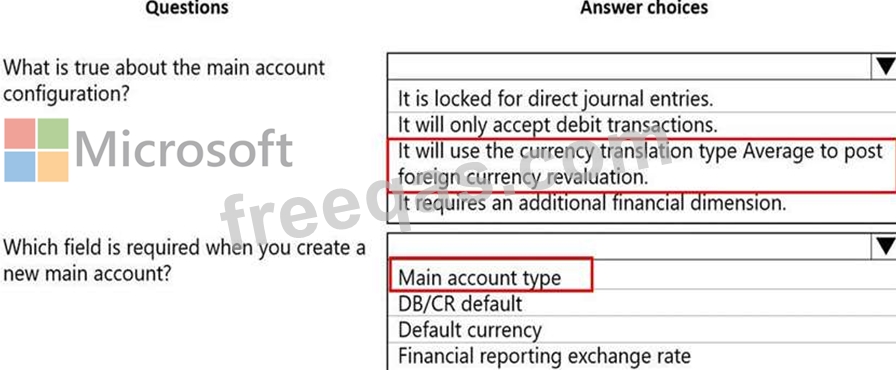
You are asked to configure a main account in Dynamics 365 Finance.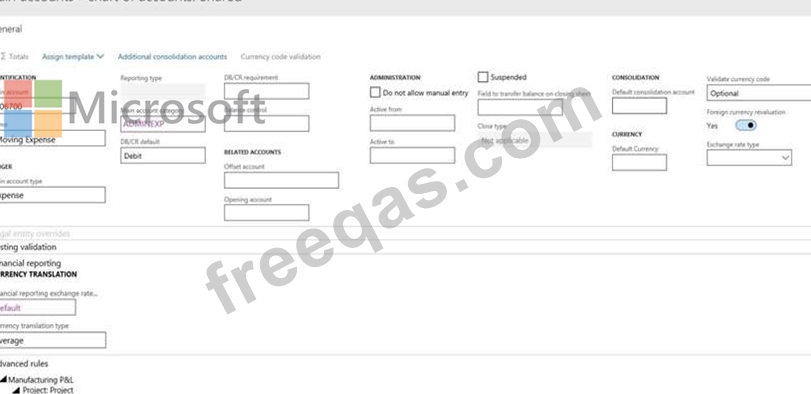
Use the drop-down menus to select the answer choice that answers each question based on the information presented in the graphic.
NOTE: Each correct selection is worth one point.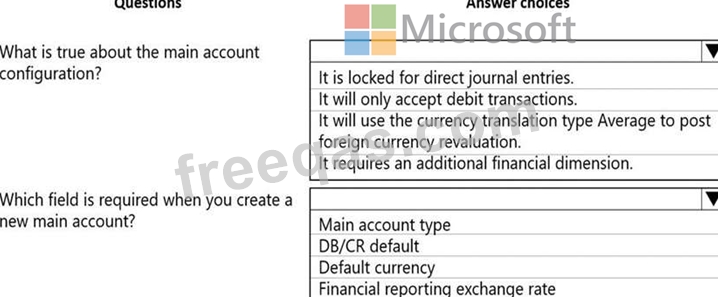
Note: This question is part of a series of questions that present the same scenario. Each question in the series contains a unique solution that might meet the stated goals. Some question sets might have more than one correct solution, while others might not have a correct solution.
After you answer a question in this section, you will NOT be able to return to it. As a result, these questions will not appear in the review screen.
A client has one legal entity, two departments, and two divisions. The client is implementing Dynamics 365 Finance. The departments and divisions are set up as financial dimensions.
The client has the following requirements:
* Only expense accounts require dimensions posted with the transactions.
* Users must not have the option to select dimensions for a balance sheet account.
You need to configure the ledger to show applicable financial dimensions based on the main account selected in journal entry.
Solution: Configure one account structure for expense accounts and apply advanced rules.
Does the solution meet the goal?
A client is implementing Accounts payable. The client wants to establish three-way matching for 100 of their
5,000 stocked items from a specific vendor.
The client requires the ability to have items that require only two-way matching and specific items that require three-way matching.
You need to configure the system in the most efficient manner to achieve these requirements.
What should you do?
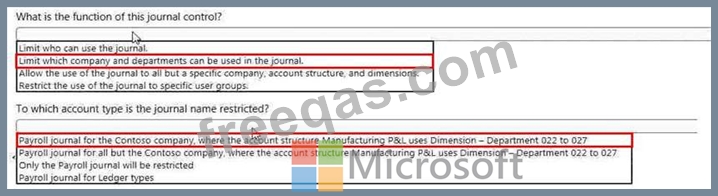
You must configure journal controls in Dynamics 365 for Finance and Operations.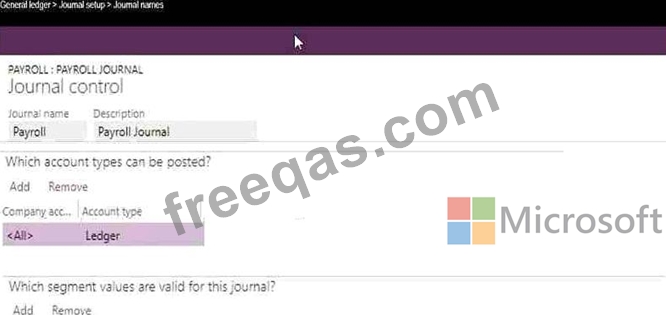
Use the drop-down menus to select the answer choice that answers each question based on the information presented in the graphic