You have a Microsoft 365 subscription.
You need to be notified if users receive email containing a file that has a virus.
What should you do?
Note: This question is part of a series of questions that present the same scenario. Each question in the series contains a unique solution that might meet the stated goals. Some question sets might have more than one correct solution, while others might not have a correct solution.
After you answer a question in this section, you will NOT be able to return to it. As a result, these questions will not appear in the review screen.
You have a Microsoft 365 subscription.
You need to prevent users from accessing your Microsoft SharePoint Online sites unless the users are connected to your on-premises network.
Solution: From the Endpoint Management admin center, you create a device configuration profile.
Does this meet the goal?
Your company is based in the United Kingdom (UK).
Users frequently handle data that contains Personally Identifiable Information (PII).
You create a data loss prevention (DLP) policy that applies to users inside and outside the company. The policy is configured as shown in the following exhibit.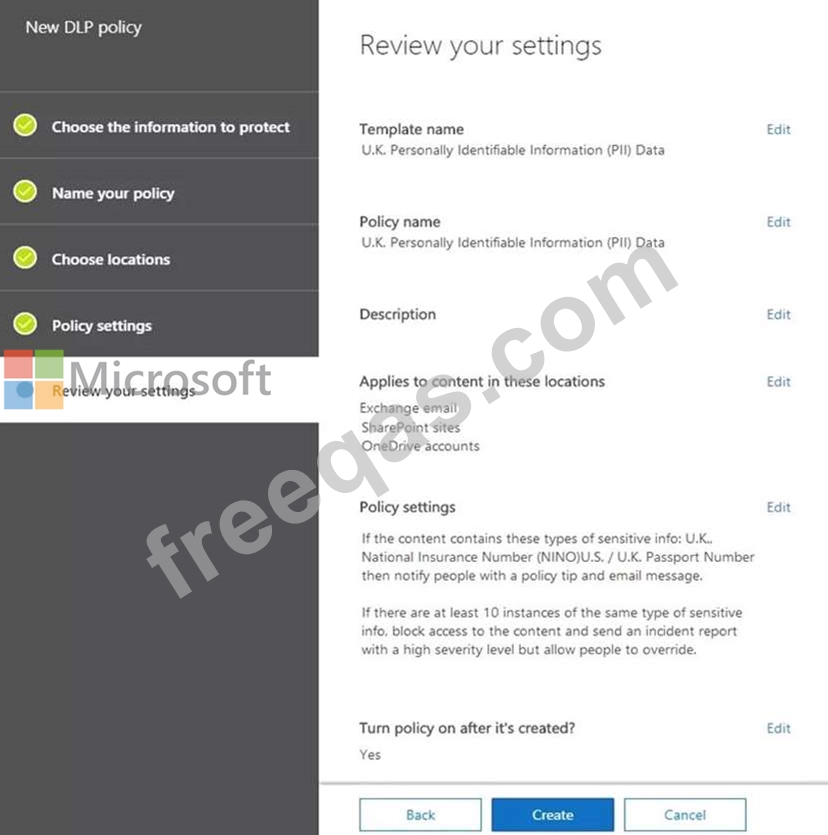
Use the drop-down menus to select the answer choice that completes each statement based on the information presented in the graphic.
NOTE: Each correct selection is worth one point.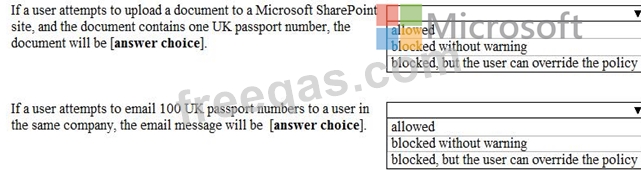
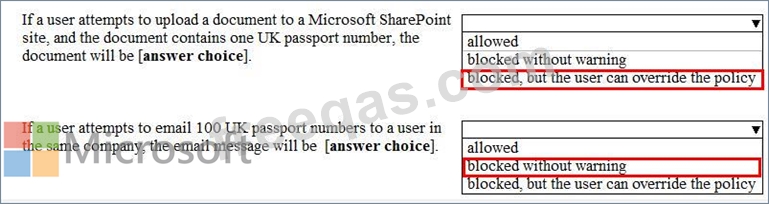
HOTSPOT
You have a Microsoft 365 E5 tenant that contains the users shown in the following table.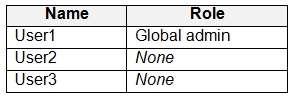
You provision the private store in Microsoft Store for Business.
You assign Microsoft Store for Business roles to the users as shown in the following table.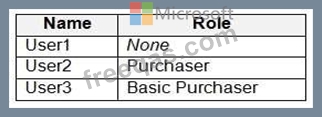
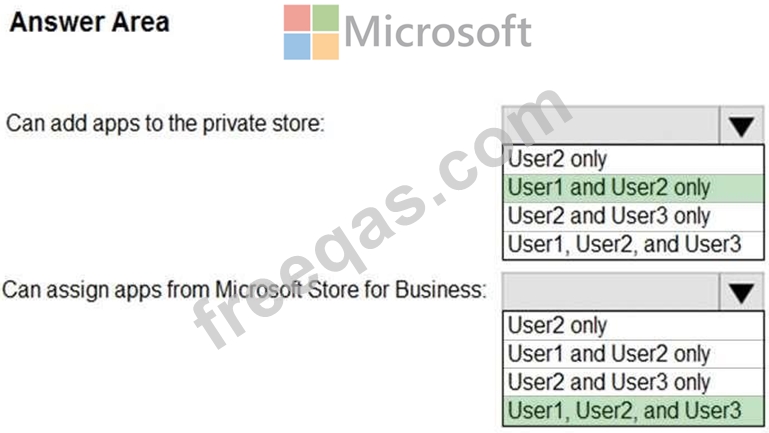
You need to identify which users can add apps to the private store, and which users can assign apps from Microsoft Store for Business.
Which users should you identify? To answer, select the appropriate options in the answer area.
NOTE: Each correct selection is worth one point.
Hot Area: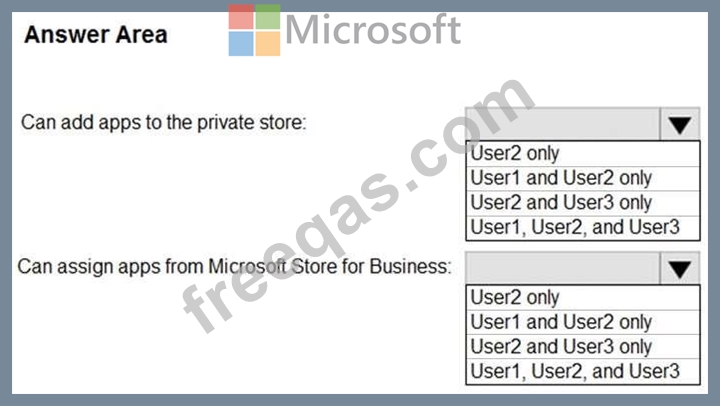
Your company has a Microsoft Azure Active Directory (Azure AD) tenant named contoso.com.
You sign for Microsoft Store for Business.
The tenant contains the users shown in the following table.
Microsoft Store for Business has the following Shopping behavior settings:
* Allow users to shop is set to On
* Make everyone a Basic Purchaser is set to Off
You need to identify which users can install apps from the Microsoft for Business private store.
Which users should you identify?

