You have 100 computers that run Windows 8.1 and are enrolled in Upgrade Readiness.
Two of the computers are configured as shown in the following table.
From Upgrade Readiness, you view the applications shown in the following table.
You enroll a computer named Computer3 in Upgrade Readiness. Computer3 has the following configurations:
* 8 GB of memory
* 64-bit architecture
* An application named App3 installed
App3 is installed on Computer3 only.
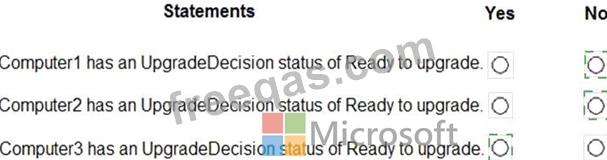
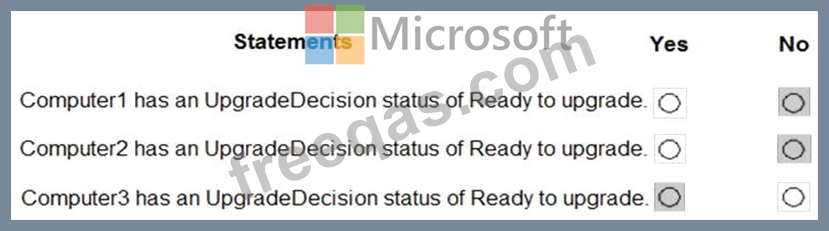
For each of the following statements, select Yes if the statement is true. Otherwise, select No.
NOTE: Each correct selection is worth one point.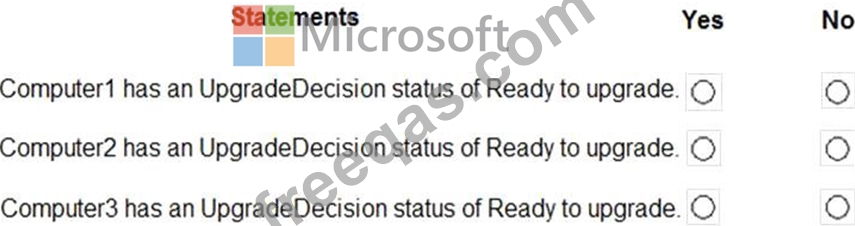
You need to meet the requirement for the legal department.
Which three actions should you perform in sequence from the Security & Compliance admin center? To answer, move the appropriate actions from the list of actions to the answer area and arrange them in the correct order.


You have a Microsoft 365 subscription that contains the users shown in the following table.
You run the following cmdlet.
Set-MailboxAuditBypassAssociation -Identity User2
-AuditByPassEnabled $true
The users perform the following actions:
User1 accesses an item in the mailbox of User2.
User2 modifies a mailbox item in the mailbox of User3.
User3 signs in to her mailbox.
For each of the following statements, select Yes if the statement is true. Otherwise, select No.
NOTE: Each correct selection is worth one point.

Note: This question is part of a series of questions that present the same scenario. Each question in the series contains a unique solution that might meet the stated goals. Some question sets might have more than one correct solution, while others might not have a correct solution.
After you answer a question in this section, you will NOT be able to return to it. As a result, these questions will not appear in the review screen.
You have a new Microsoft 365 subscription.
You need to prevent users from sending email messages that contain Personally Identifiable Information (PII).
Solution: From the Exchange admin center, you create a data loss prevention (DLP) policy.
Does this meet the goal?
Your company has a Microsoft 365 subscription that uses an Azure Active Directory (Azure AD) tenant named contoso.com.
The company purchases a cloud app named App1 that supports Microsoft (loud App Security monitoring.
You configure App1 to be available from the My Apps portal.
You need to ensure that you can monitor App1 from Cloud App Security
What should you do?

