HOTSPOT
You have an Azure Active Directory (Azure AD) tenant named contoso.com that contains the users shown in the following table.
You integrate Microsoft Intune and contoso.com as shown in the following exhibit.
You purchase a Windows 10 device named Device1.
For each of the following statements, select Yes if the statement is true. Otherwise, select No.
NOTE: Each correct selection is worth one point.
Hot Area:

You have the Microsoft Azure Advanced Threat Protection (ATP) workspace shown in the Workspace exhibit.
(Click the Workspace tab.)
The sensors settings for the workspace are configured as shown in the Sensors exhibit. (Click the Sensors tab.)
You need to ensure that Azure ATP stores data in Asia.
Which three actions should you perform in sequence? To answer, move the appropriate actions from the list of actions to the answer area and arrange them in the correct order.


You have a Microsoft 365 E5 subscription that uses Microsoft Defender Advanced Threat Protection (Microsoft Defender ATP).
D18912E1457D5D1DDCBD40AB3BF70D5D
From Microsoft Defender ATP, you turn on the Allow or block file advanced feature.
You need to block users from downloading a file named File1.exe.
What should you use?
Your company has a Microsoft Azure Active Directory (Azure AD) tenant named contoso.com.
You sign for Microsoft Store for Business.
The tenant contains the users shown in the following table.
Microsoft Store for Business has the following Shopping behavior settings:
Allow users to shop is set to On
Make everyone a Basic Purchaser is set to Off
You need to identify which users can install apps from the Microsoft for Business private store.
Which users should you identify?
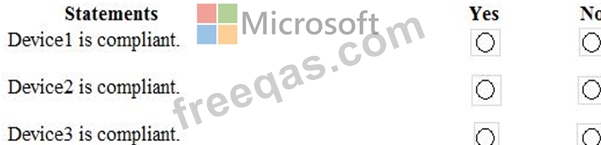
You have three devices enrolled in Microsoft Intune as shown in the following table.
The device compliance policies in Intune are configured as shown in the following table.
For each of the following statements, select Yes if the statement is true. Otherwise, select No.
NOTE: Each correct selection is worth one point.