You have a Microsoft 365 E5 subscription that contains the devices shown in the following table.
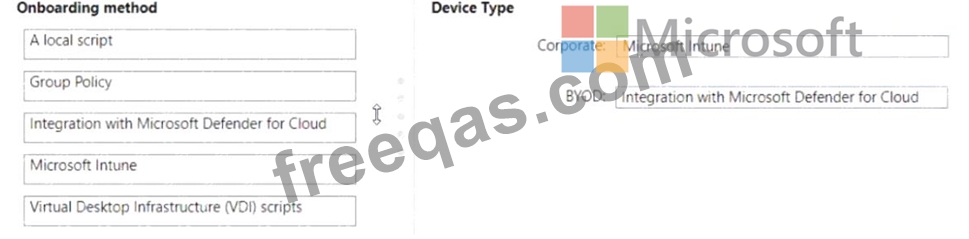
You need to onboard the devices to Microsoft Defender for Endpoint. The solution must minimize administrative effort.
What should you use to onboard each type of device? To answer, drag the appropriate onboarding methods to the correct device types. Each onboarding method may be used once, more than once, or not at all. You may need to drag the split bar between panes or scroll to view content.
NOTE: Each correct selection is worth one point.

HOTSPOT
Your company has a Microsoft 365 E5 subscription.
You need to perform the following tasks:
View the Adoption Score of the company.
Create a new service request to Microsoft.
Which two options should you use in the Microsoft 365 admin center? To answer, select the appropriate options in the answer area.
NOTE: Each correct selection is worth one point.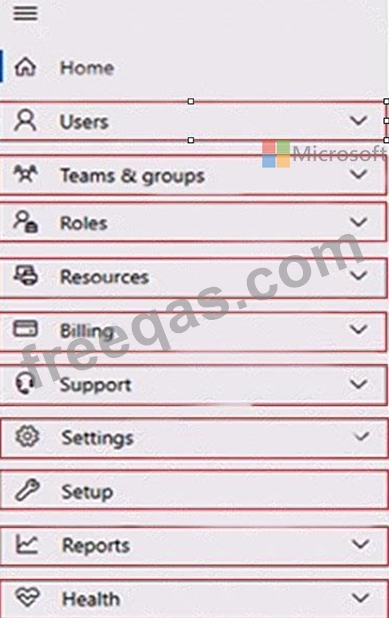

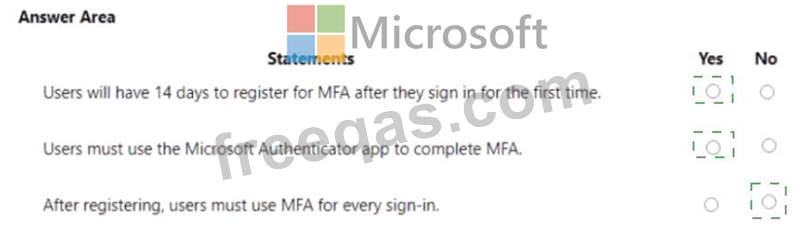
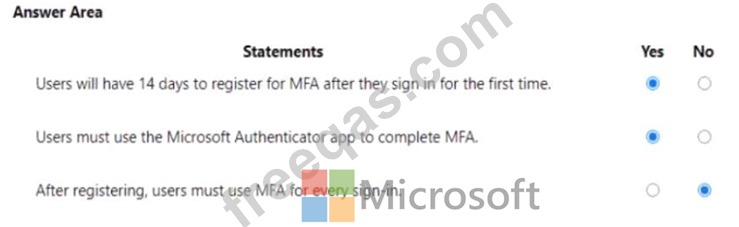
You are evaluating the use of multi-factor authentication (MFA).
For each of the following statements, select Yes if the statement is true. Otherwise, select No.
NOTE: Each correct selection is worth one point.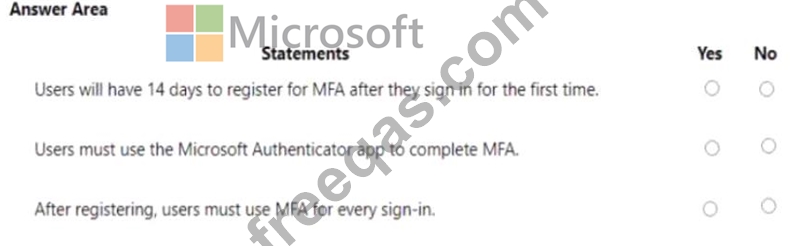
You have a Microsoft 365 E5 tenant that connects to Microsoft Defender for Endpoint.
You have devices enrolled in Microsoft Intune as shown in the following table.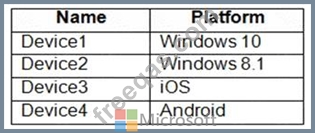
You plan to use risk levels in Microsoft Defender for Endpoint to identify whether a device is compliant.
Noncompliant devices must be blocked from accessing corporate resources.
You need to identify which devices can be onboarded to Microsoft Defender for Endpoint, and which Endpoint security policies must be configured.
What should you identify? To answer, select the appropriate options in the answer area.
NOTE: Each correct selection is worth one point.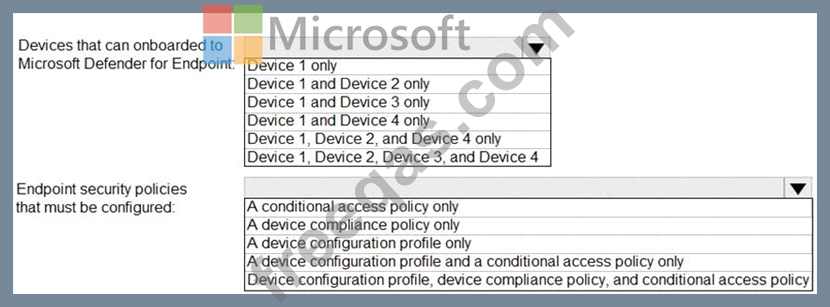


You have a Microsoft 365 E5 subscription that uses Microsoft Defender for Cloud Apps.
You need to be notified when a single user downloads more than 50 files during any 60-second period.
What should you configure?

