You have a Teams Phone deployment that contains a branch office.
You need to restrict toll bypass for a user based on the office in which the user is working during an inbound or outbound PSTN call.
What should you use?
Your company has a main office in Dallas.
The company has a Microsoft Teams Phone deployment.
Currently, the default audio conferencing bridge is set to a phone number that has a Miami area code.
In the Microsoft Teams admin center, you get a number in the Dallas area code.
You need to assign the new Dallas number as the default audio conferencing bridge.
What should you configure in the Microsoft Teams admin center?
You have a Teams Phone deployment.
You are designing a meeting space that contains a Teams certified conference phone.
You need to configure the phone to meet the following requirements:
Show the calendar on the display by default
Support one-touch join for Teams meetings
Which two actions should you perform? Each correct answer presents part of the solution.
NOTE: Each correct selection is worth one point.
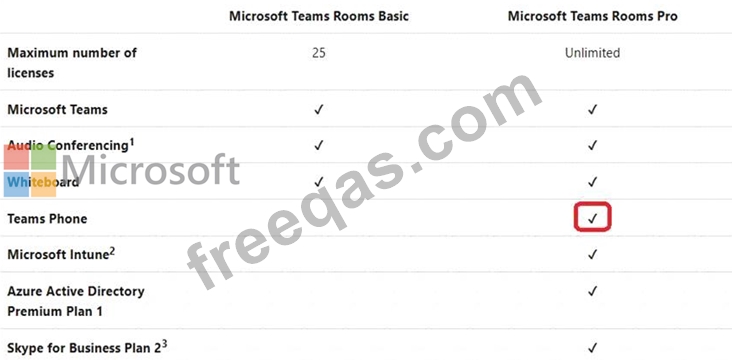
You have a Microsoft Teams Phone deployment that contains a user named User1.
A company policy states that all users must have voicemail configured so that callers can record a message or be transferred to reception.
You need to verify the voicemail configuration of User1 to ensure that it meets the requirements of the company policy.
How should you complete the command? To answer select the appropriate options in the answer area.
NOTE: Each correct selection is worth one point.

Your company has offices in Seattle.
You deploy Microsoft Teams Phone. You have three Session Border Controller (SBCs) named SBC1, SBC2, and SBC3.
You need to configure voice routing to meet the following requirements:
All calls to area codes 425 and 206 must attempt to go to SBC1, and if SBC1 is unavailable, fail over to SBC2.
All other calls to the United States and Canada must go out through SBC2.
International calls must go out through SBC2 or SBC3.
How should you complete the PowerShell script? To answer, drag the appropriate values to the correct targets. Each value may be used once, more than once, or not at all. You may need to drag the split bar between panes or scroll to view content.
NOTE: Each correct selection is worth one point.


