You have an on-premises datacenter that contains the hosts shown in the following table.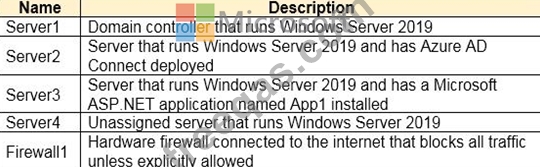
You have an Azure Active Directory (Azure AD) tenant that syncs to the Active Directory forest. Multi-factor authentication (MFA) is enforced for Azure AD.
You need to ensure that you can publish App1 to Azure AD users.
What should you configure on Server and Firewall1? To answer, select the appropriate options in the answer area.
NOTE: Each correct selection is worth one point.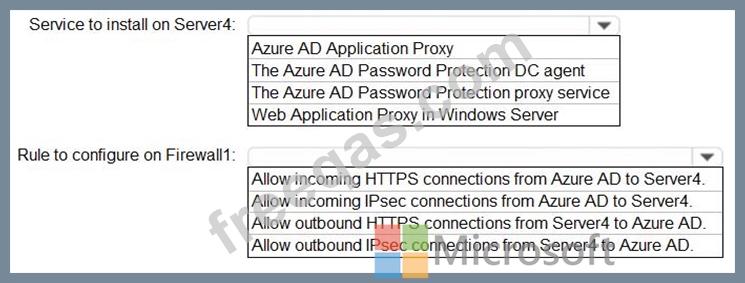

Your network contains an on-premises Active Directory domain named contoso.com. The domain contains the objects shown in the following table.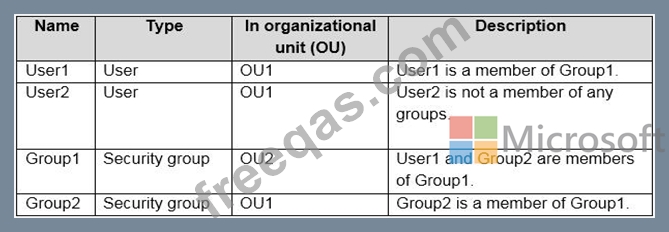
You install Azure AD Connect. You configure the Domain and OU filtering settings as shown in the Domain and OU Filtering exhibit. (Click the Domain and OU Filtering tab.)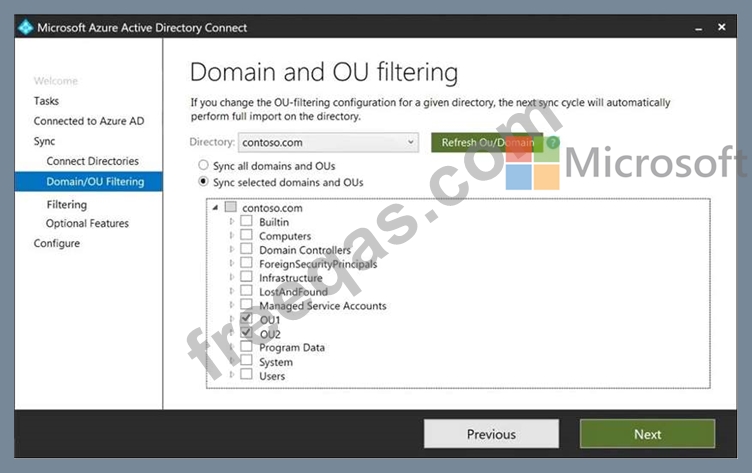
You configure the Filter users and devices settings as shown in the Filter Users and Devices exhibit. (Click the Filter Users and Devices tab.)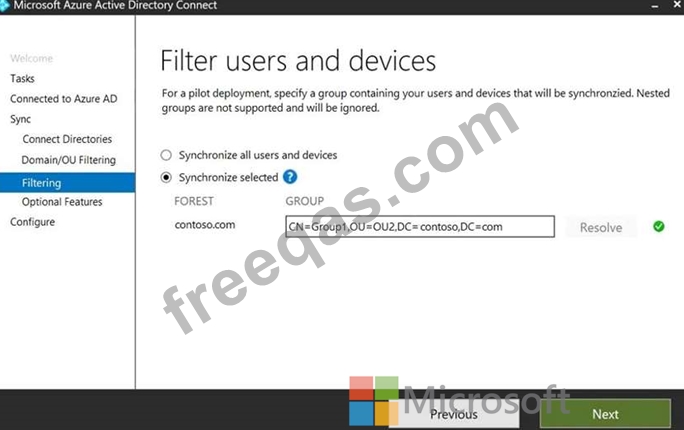
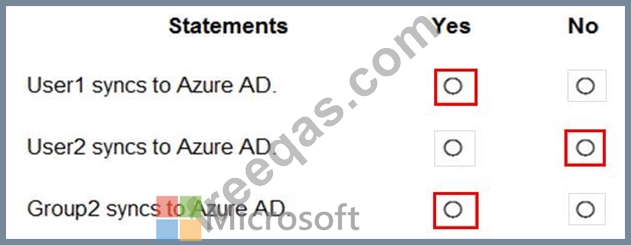
For each of the following statements, select Yes if the statement is true. Otherwise, select No.
You have a Microsoft 365 tenant.
All users must use the Microsoft Authenticator app for multi-factor authentication (MFA) when accessing Microsoft 365 services.
Some users report that they received an MFA prompt on their Microsoft Authenticator app without initiating a sign-in request.
You need to block the users automatically when they report an MFA request that they did not Initiate.
Solution: From the Azure portal, you configure the Account lockout settings for multi-factor authentication (MFA).
Does this meet the goal?
You need to implement on-premises application and SharePoint Online restrictions to meet the authentication requirements and the access requirements.
What should you do? To answer, select the appropriate options in the answer area.
NOTE: Each correct selection is worth one point.

You need to create the LWGroup1 group to meet the management requirements.
How should you complete the dynamic membership rule? To answer, drag the appropriate values to the correct targets. Each value may be used once, more than once, or not at all. You many need to drag the split bar between panes or scroll to view content.
NOTE: Each correct selection is worth one point.


