A developer automates a process which has an Excel file as input data; however, Orchestrator is not available. As a result, the developer needs to adapt the Robotic Enterprise (RE) Framework for use with tabular data.
Based on UiPath best practices, where should the Excel file be read and stored in a global DataTable variable?
A developer created a UiPath Process to find out, how many worksheets an Excel file stores. What will be the result of the processing if the indicated workbook does not exist?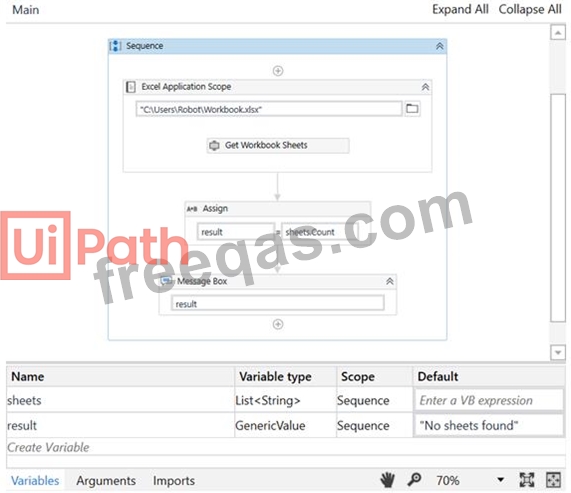
Please find the properties of the Excel Application Scope activity below: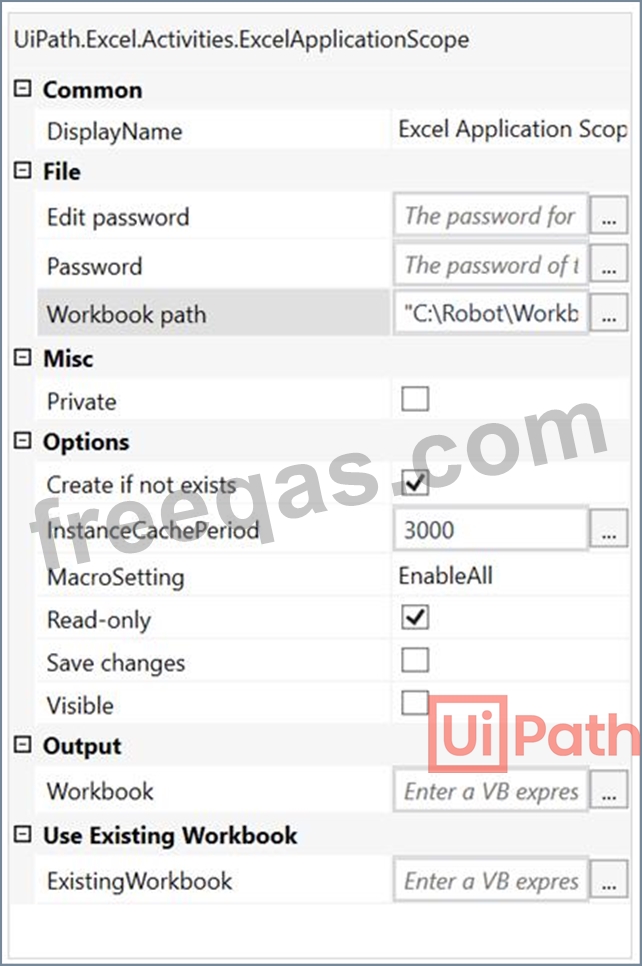
Please find the properties of the Get Workbook Sheets activity below: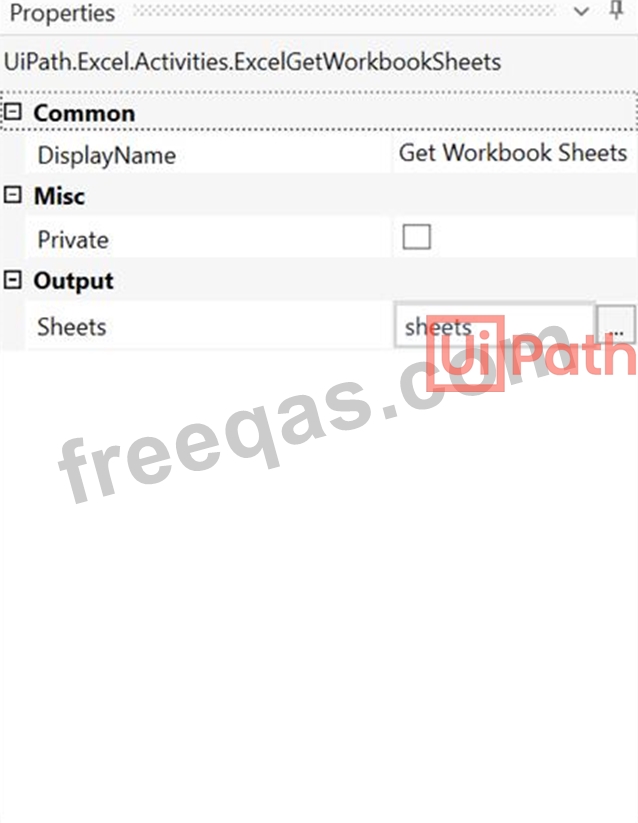
In this exercise, you will create a UiPath automation that performs the steps below.
To achieve this, you will use the REFrameWork as the starting template and follow the UiPath development best practices.
A developer is running a process in UiPath Studio based on Robotic Enterprise (RE) Framework 2021.10. One asset defined in the project does not exist in the Orchestrator folder provided in the Config.xlsx file.
What is the behavior at runtime?
Which activity provides the easiest way to loop through all the rows in a DataTable?
Options are :
Enter your email address to download UiPath.UiPath-ARDv1.v2023-04-17.q140 Dumps

