You have a Azure Virtual Desktop host pool in the East US region.
You need to implement a disaster recovery solution that meets the following requirements:
* If users cannot connect to the Azure Virtual Desktop resources in the East US region, the users must be able to connect to the equivalent resources in the West US region.
* Users must connect to the Azure Virtual Desktop resources in either the East US or the West US region by selecting a single icon in the Remote Desktop client
* In the event of a disaster, failover between the Azure regions must be initiated manually by an administrator.
* Failover times must be minimized.
What should you do?
You are automating the deployment of an Azure Virtual Desktop host pool.
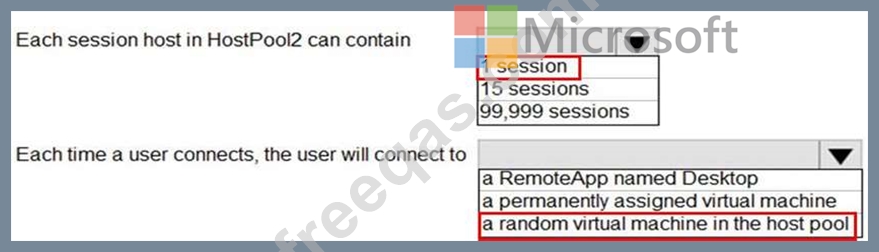
You deploy the Azure Resource Manager (ARM) template shown in the following exhibit.
Use the drop-down menus to select the answer choice that completes each statement based on the information presented in the Dockerfile.
NOTE: Each correct selection is worth one point.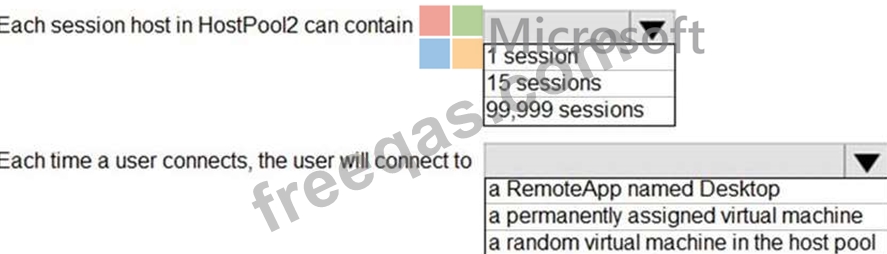
You have a Azure Virtual Desktop deployment that uses Microsoft 355 cloud services including Microsoft Teams.
Users use the Remote Desktop client to connect to the deployment from computers that run Windows 10 You need to support audio and video in Azure Virtual Desktop and provide the users with access to Microsoft Teams calling and meeting features.
Which three actions should you perform? Each correct answer presents part of the solution.
NOTE: Each correct selection is worth one point.
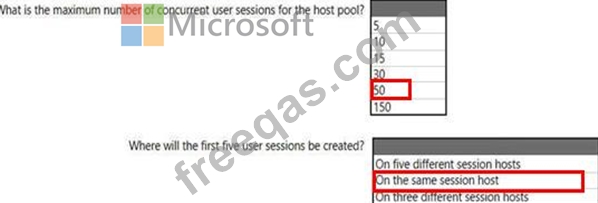
You create an Azure Virtual Desktop host pool as shown in the following exhibit.
Use the drop-down menus to select the answer choice that answers each question based on the information presented in the graphic.
NOTE: Each correct selection is worth one point.
Hot Area:
You plan to deploy Windows Virtual Desktop. The deployment will use existing virtual machines.
You create a Windows Virtual Desktop host pool.
You need to ensure that you can add the virtual machines to the host pool.
What should you do first?

