You have an Azure subscription.
You have the on-premises sites shown the following table.
You plan to deploy Azure Virtual WAN.
You are evaluating Virtual WAN Basic and Virtual WAN Standard.
Which type of Virtual WAN can you use for each site? To answer, select the appropriate options in the answer area.
NOTE: Each correct selection is worth one point.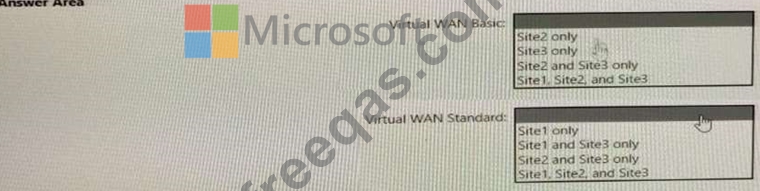

Which virtual machines can VM1 and VM4 ping successfully? To answer, select the appropriate options in the answer area.
NOTE: Each correct selection is worth one point.


Note: This question is part of a series of questions that present the same scenario. Each question in the series contains a unique solution that might meet the stated goals. Some question sets might have more than one correct solution, while others might not have a correct solution.
After you answer a question in this section, you will NOT be able to return to it. As a result, these questions will not appear in the review screen.
You have two Azure virtual networks named Vnet1 and Vnet2.
You have a Windows 10 device named Client1 that connects to Vnet1 by using a Point-to-Site (P2S) IKEv2 VPN.
You implement virtual network peering between Vnet1 and Vnet2. Vnet1 allows gateway transit. Vnet2 can use the remote gateway.
You discover that Client1 cannot communicate with Vnet2.
You need to ensure that Client1 can communicate with Vnet2.
Solution: You reset the gateway of Vnet1.
Does this meet the goal?
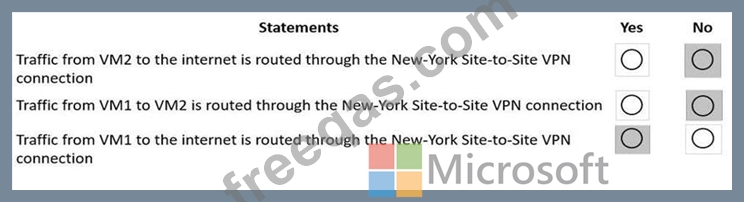
You have an Azure subscription that contains the route tables and routes shown in the following table.
The subscription contains the subnets shown in the following table.
The subscription contains the virtual machines shown in the following table.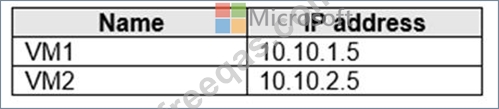
There is a Site-to-Site VPN connection to each local network gateway.
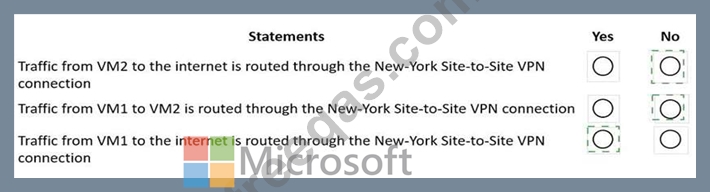
For each of the following statements, select Yes of the statement is true. Otherwise, select No.
NOTE: Each correct selection is worth one point.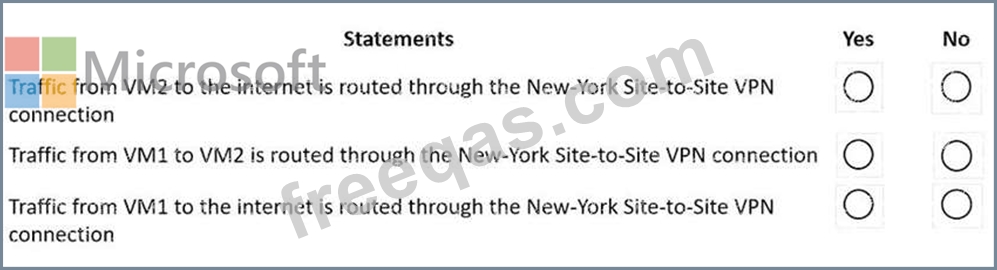
You have an Azure subscription that contains two virtual networks named Vnet1 and Vnet2.
You register a public DNS zone named fabrikam.com. The zone is configured as shown in the Public DNS Zone exhibit.
You have a private DNS zone named fabrikam.com. The zone is configured as shown in the Private DNS Zone exhibit.
You have a virtual network link configured as shown in the Virtual Network Link exhibit.
For each of the following statements, select Yes if the statement is true. Otherwise, select No.
NOTE: Each correct selection is worth one point.


