You are implementing a Dynamics 365 for Finance and Operations General ledger module for a client that has multiple legal entities.
The client has the following requirements:
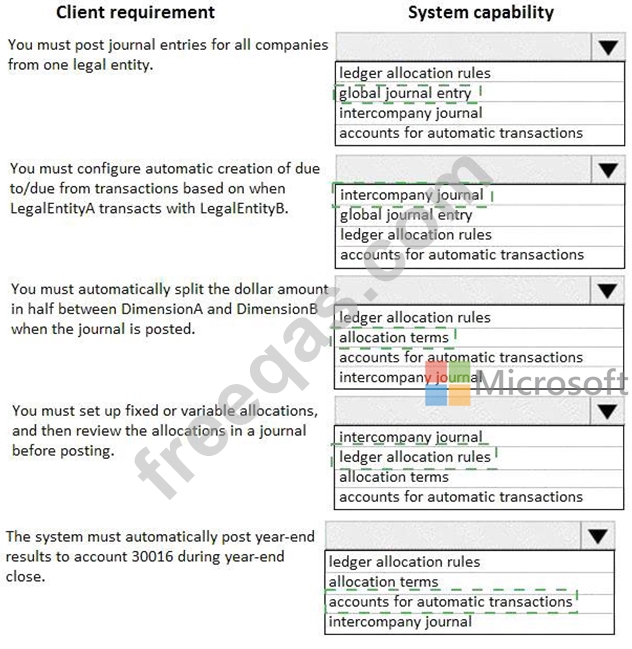
* Post journal entries for all companies from one legal entity.
* Configure automatic creation of due to/due from transactions based on when LegalEntityA transacts with LegalEntityB.
* Automatically split the dollar amount in half between DimensionA and DimensionB when the journal is posted.
* Set up fixed or variable allocations, and then review the allocations in a journal before posting,
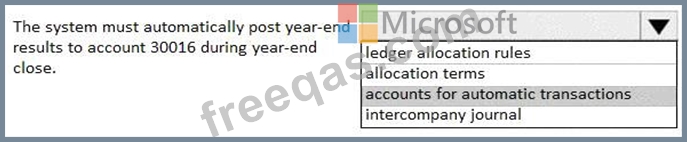
* Automatically post year-end results to account 30016 during year-end close.
You need to configure the system.
Which system capability should you configure? To answer, select the appropriate configuration in the answer area.

You need to configure the system to resolve User8's issue.
What should you select?
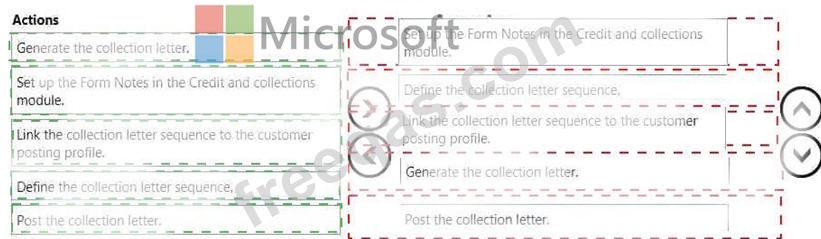
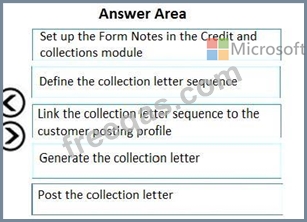
A client observes that some customers are late paying their invoices. The client wants to use the Credit and Collections functionality to send collection letters to customers.
need to configure the system to support collection letter functionality and processing.
In which order should you perform the actions? To answer, move all actions from the list of actions to the answer area and arrange them in the correct order.
A company uses Microsoft Dynamics 365 Finance.
You receive a new purchase invoice. You must process the invoice as a fixed asset that complies with applicable tax regulations. Double entry is not permitted for asset acquisitions.
You need to configure the asset and books.
Which four actions should you recommend be performed in sequence? To answer move all actions from the list of actions to the answer area and arrange them m the correct order.


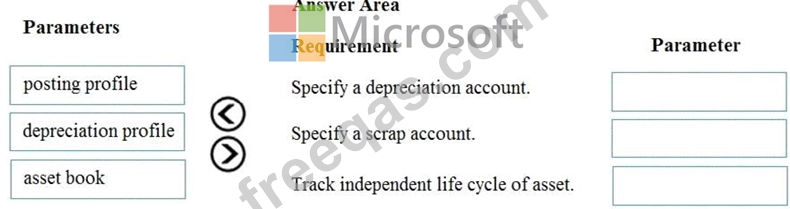
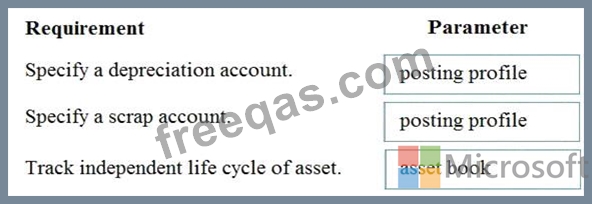
A client is implementing fixed assets in Dynamics 365 Finance.
You need to specify which parameters should be configured to meet the business requirements.
Which parameters meet the requirements? To answer, drag the appropriate parameters to the correct requirements. Each parameter may be used once, more than once, or not at all. You may need to drag the split bar between panes or scroll to view content.
NOTE: Each correct selection is worth one point.