Note: This question is part of a series of questions that present the same scenario. Each question in the series contains a unique solution that might meet the stated goals. Some question sets might have more than one correct solution, while others might not have a correct solution.
After you answer a question in this section, you will NOT be able to return to it. As a result, these questions will not appear in the review screen.
Your network contains an on-premises Active Directory domain named contoso.com. The domain contains the users shown in the following table.
The domain syncs to an Azure AD tenant named contoso.com as shown in the exhibit. (Click the Exhibit tab.)
User2 fails to authenticate to Azure AD when signing in as [email protected].
You need to ensure that User2 can access the resources in Azure AD.
Solution: From the Microsoft Entra admin center, you assign User2 the Security Reader role. You instruct User2 to sign in as [email protected].
Does this meet the goal?
You have a Microsoft 365 subscription that contains the users in the following table.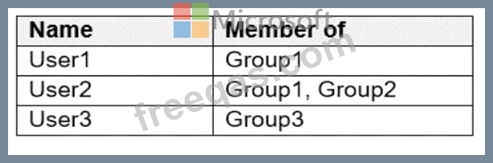
In Microsoft Endpoint Manager, you create two device type restrictions that have the settings shown in the following table.
In Microsoft Endpoint Manager, you create three device limit restrictions that have the settings shown in the following table.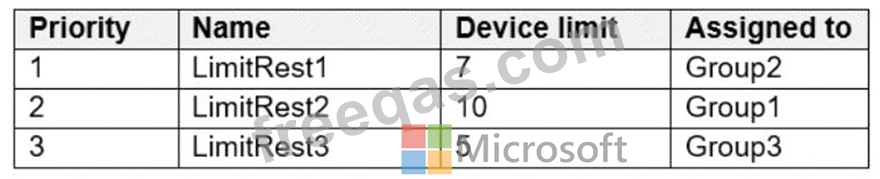
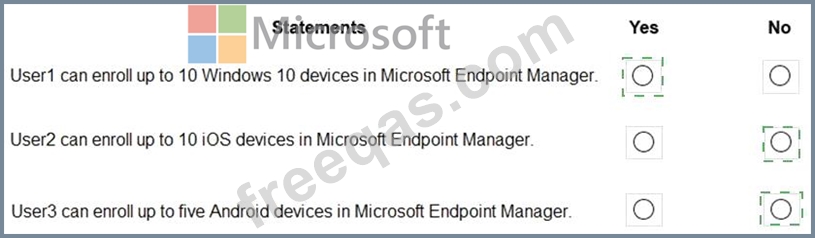
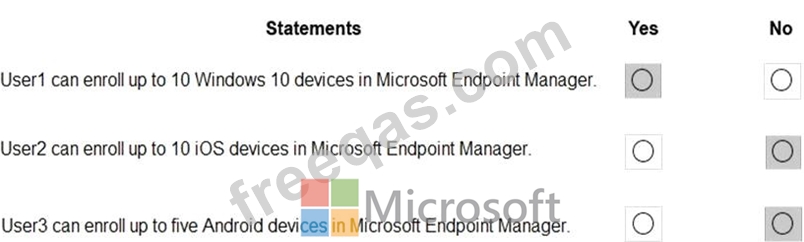
For each of the following statements, select Yes if the statement is true. Otherwise, select No.
NOTE: Each correct selection is worth one point.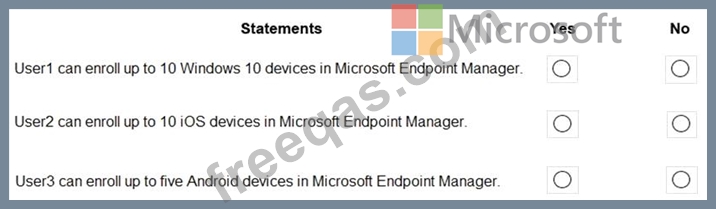
You have a Microsoft 365 E5 subscription that contains the devices shown in the following table.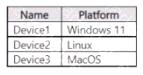
You plan to create an Endpoint security policy by using the Defender Update controls template. To which device can you apply the policy?
Your company has a Microsoft 365 tenant
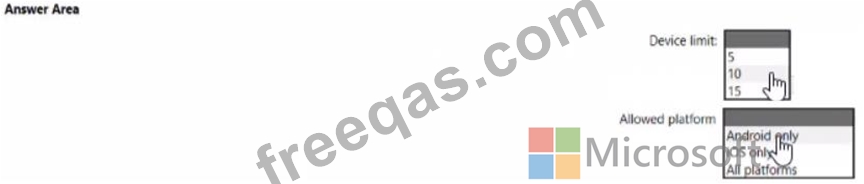
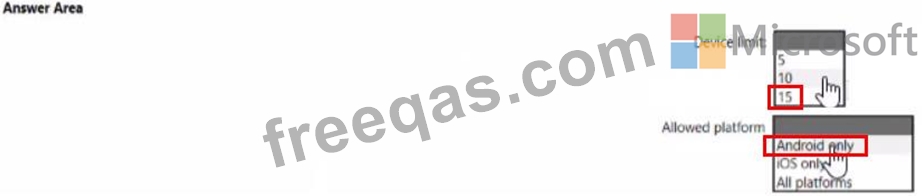
You plan to allow users that are members of a group named Engineering to enroll their mobile device in mobile device management (MDM) The device type restriction are configured as shown in the following table.
The device limit restriction are configured as shown in the following table.
You have a Microsoft 365 E5 subscription that contains the users shown in the following table.
The subscription has the following two anti-spam policies:
* Name: AntiSpam1
* Priority: 0
* Induce these users, groups and domains
o Users: User3
o Groups: Group!
* Exclude these users, groups and domains
o Groups: Group2
* Message limits
o Set a daily message limit 100
* Name: AntiSpam2
* Priority: 1
* Include these users, groups and domains
o Users: User! o Groups: Group2
* Exclude these users, groups and domains
o Users: User3
* Message limits
o Set a daily message limit 50
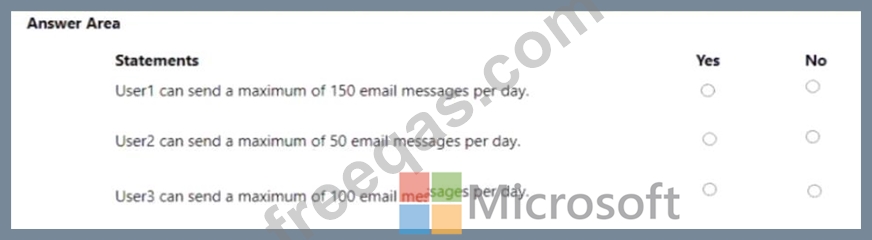
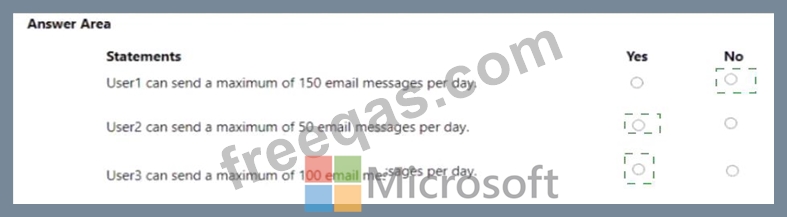
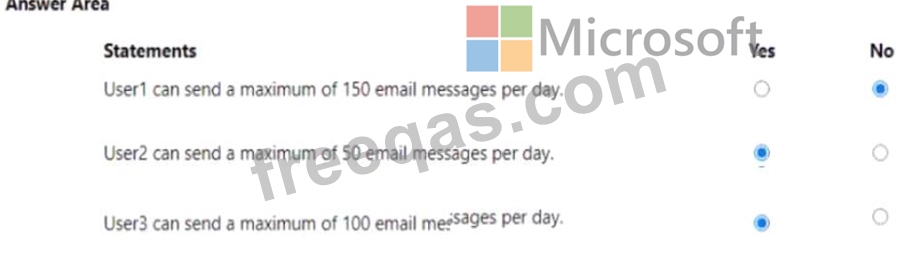
For each of the following statements, select Yes if the statement is true. Otherwise, select No.
NOTE: Each correct selection is worth one point.