You manage the Microsoft Teams environment for a company.
A private channel is deleted. After 20 days, the channel owner restores the channel to retrieve a file. A user
reports that they cannot access the SharePoint site for the channel.
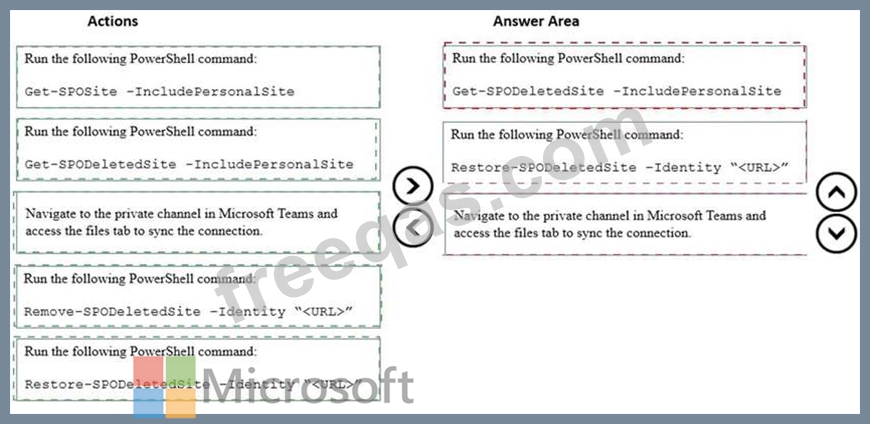
You need to restore the SharePoint site that is associated with the private channel.
Which three actions should you perform in sequence? To answer, move the appropriate actions from the list of
actions to the answer area and arrange them in the correct order.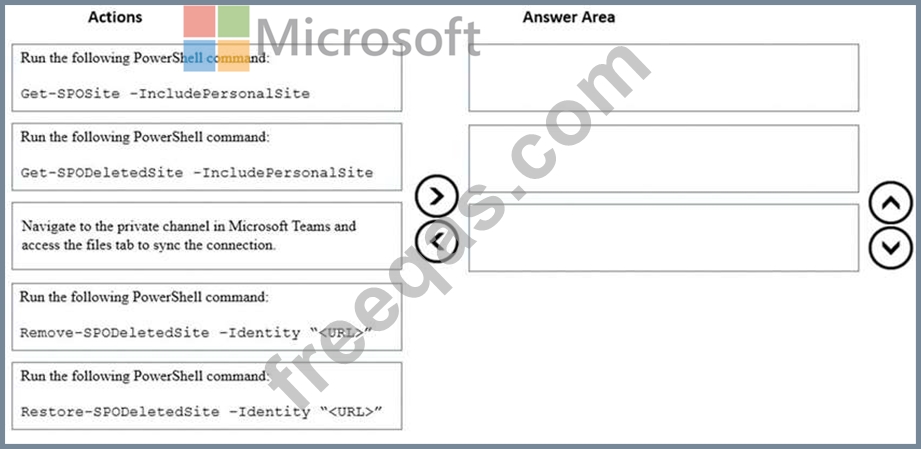

Note: This question is part of a series of questions that present the same scenario. Each question in the series
contains a unique solution that might meet the stated goals. Some question sets might have more than one
correct solution, while others might not have a correct solution.
After you answer a question in this section, you will NOT be able to return to it. As a result, these questions
will not appear in the review screen.
An IT company has a Microsoft 365 subscription.
The company has a main office in one region. The company opens a new office in another region. You must
relocate 400 users to the new office.
Solution: Add an emergency address and then modify the outbound calling settings for each user.
Does the solution meet the goal?
A company configures IP address 10.3.0.0 as the Location Information Service subnet.
The Microsoft Teams client does not display the emergency address for a user. You confirm that the user has a
correctly assigned and validated E911 address that includes geo-coordinates.
You observe the following record in the Teams log:
You need to identify the root cause of the issue.
Which segment of the Teams log record identifies the cause of the issue?
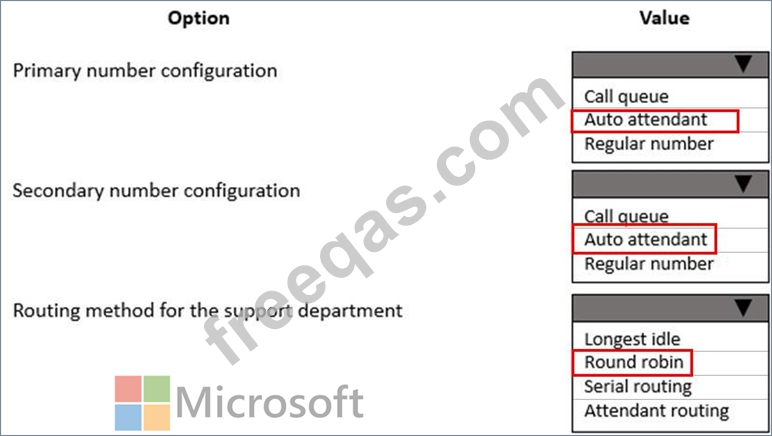
You need to set up the calling environment for the sales and support departments.
Which setup paths should you use? To answer, select the appropriate options in the answer area.
NOTE: Each correct selection is worth one point.
You support a Microsoft Teams environment for a company.
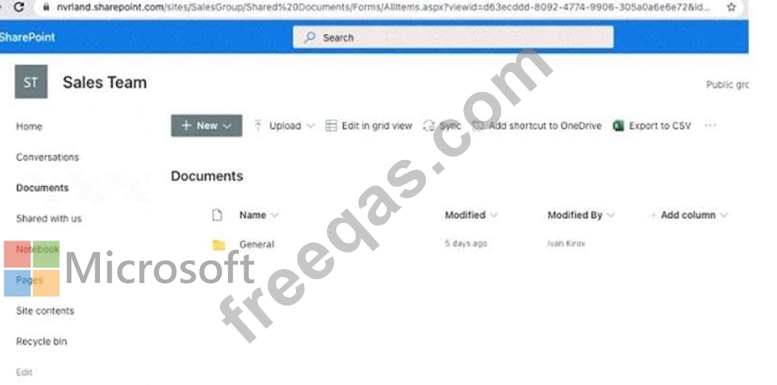
You review the error message that displays for users. The error message is shown in the Sales Team Files
exhibit. (Click the Sales Team Files tab.)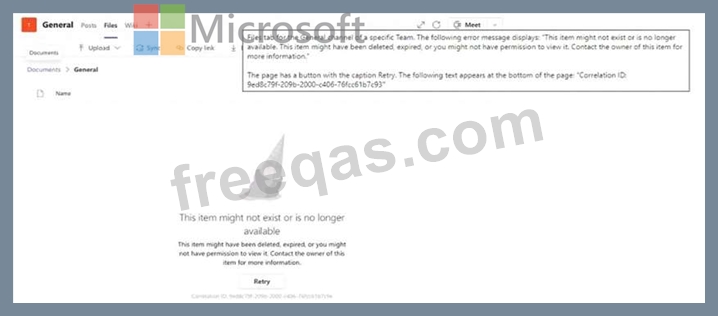
You review the external access settings in the Teams admin center as shown in the Sales Team SharePoint site
exhibit (Click the Sales Team SharePoint site tab.)
For each of the following statements, select Yes if the statement is true. Otherwise, select No.
NOTE: Each correct selection is worth one point.


