You implement an editable grid for the Account entity.
The business team provides the following list of features that they would like you to implement:
Group by or sort columns in the current view.
Configure a business rule to show an error message.
Edit values in calculated fields.
Edit the Address composite field.
Use the editable grid on mobile phones.
Which actions can you perform? To answer, select the appropriate options in the answer area.
NOTE: Each correct selection is worth one point.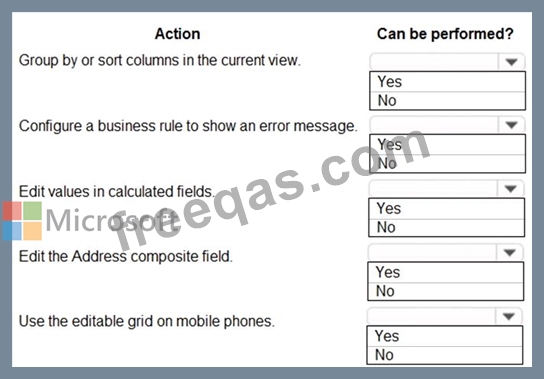

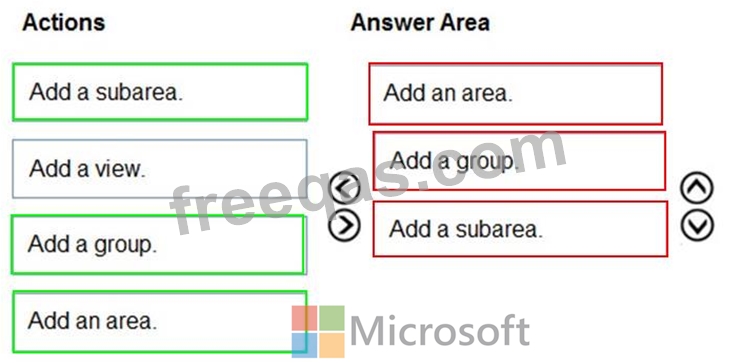
You are a Dynamics 365 administrator.
You create a new app.
You need to create the site map for the app.
Which three actions should you perform in sequence? To answer, move the appropriate actions from the list of actions to the answer area and arrange them in the correct order.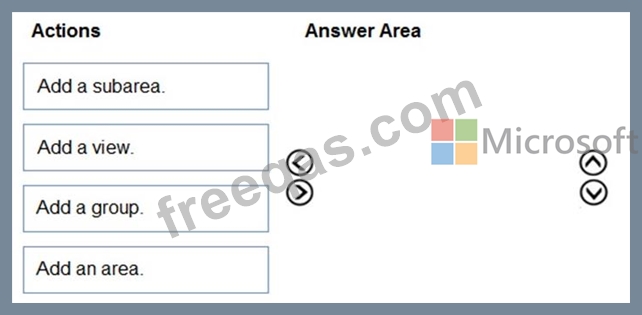
You are a Dynamics 365 Customer Engagement administrator. You create a new solution in Dynamics 365.
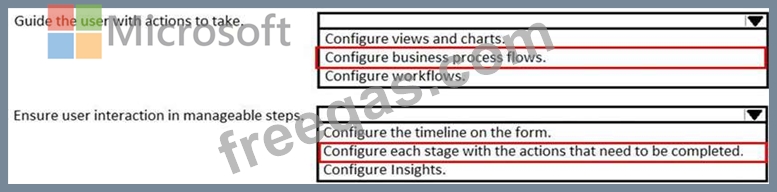
You need to help end users understand which actions to take next and ensure that user interaction occurs in manageable steps.
Which actions should you perform? To answer, select the appropriate options in the answer area.
NOTE: Each correct selection is worth one point.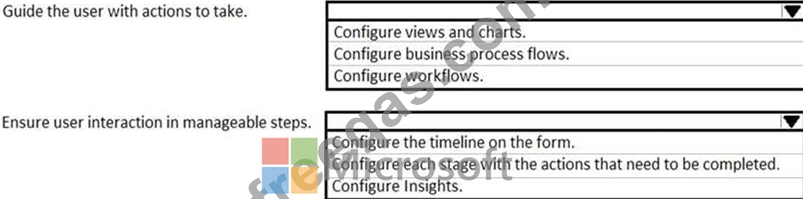
You need to design the chat solution to answer the inquiry from Guest1.
Which three components can you use? Each correct answer presents a complete solution.
NOTE: Each correct selection is worth one point.
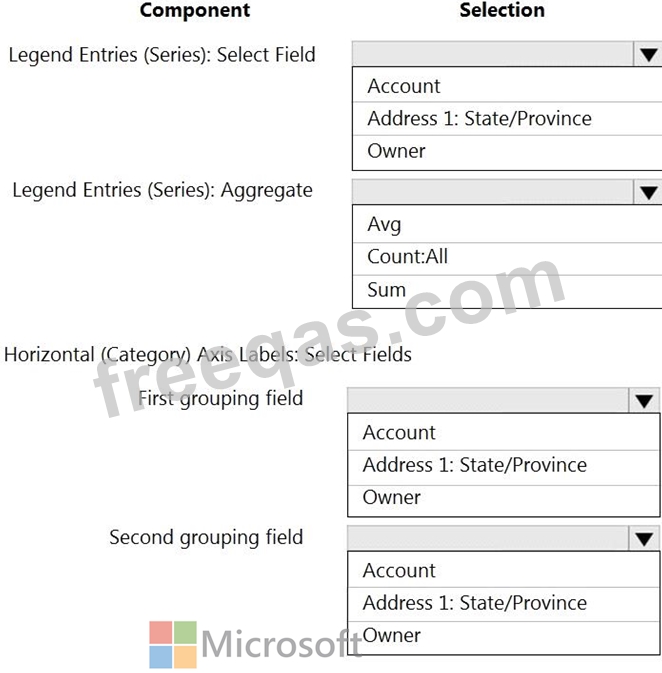
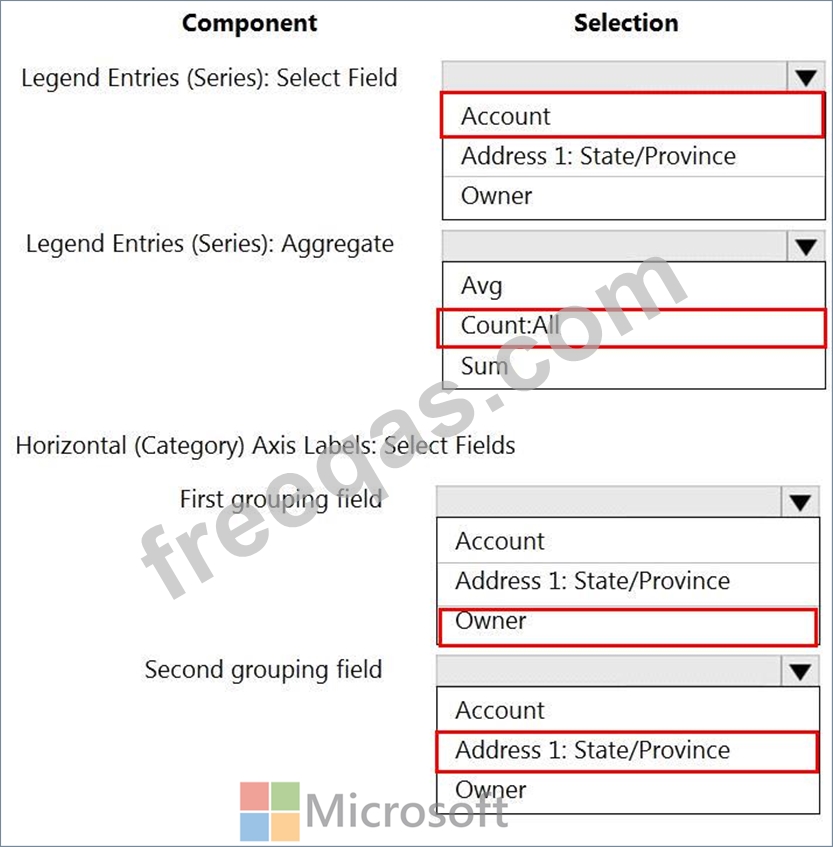
You need to create a system chart for the Account entity.
The chart must display a count of accounts grouped by owner and then display the accounts by Address 1: State/Province for each owner. You begin to configure chart options as shown in the image below.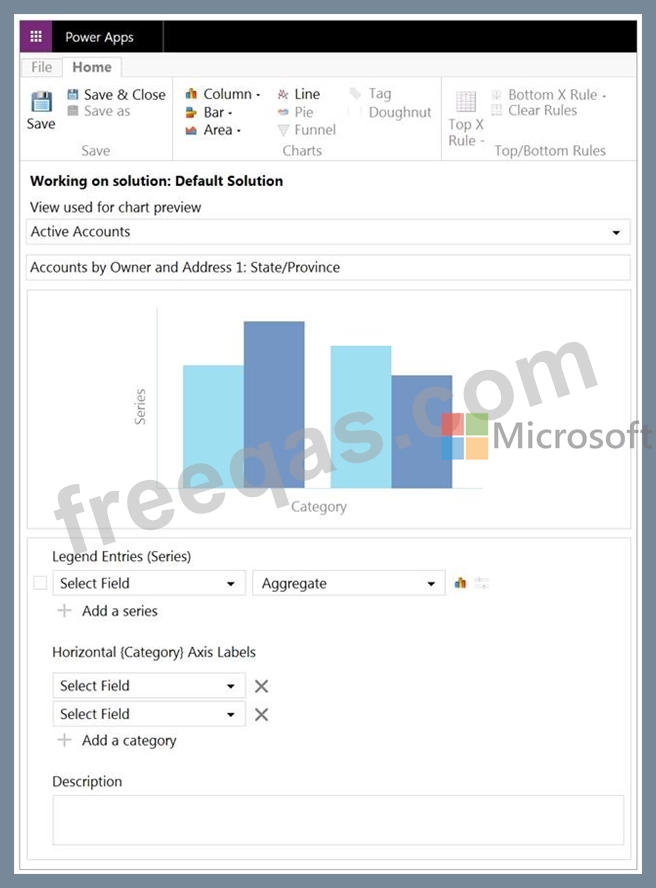
How should you complete the configuration? To answer, select the appropriate options in the answer area.
NOTE: Each correct selection is worth one point. The chart must display a count of accounts grouped by owner, and then display the accounts by Address 1 to State/Province for each owner.