Note: This question is part of a series of questions that present the same scenario. Each question in the series contains a unique solution that might meet the stated goals. Some question sets might have more than one correct solution, while others might not have a correct solution.
After you answer a question in this section, you will NOT be able to return to it. As a result, these questions will not appear in the review screen.
You have an Azure Active Directory (Azure AD) tenant that syncs to an Active Directory forest.
You discover that when a user account is disabled in Active Directory, the disabled user can still authenticate to Azure AD for up to 30 minutes.
You need to ensure that when a user account is disabled in Active Directory, the user account is immediately prevented from authenticating to Azure AD.
Solution: You configure conditional access policies.
Does this meet the goal?
You have an Azure Active Directory (Azure AD) tenant that has the default App registrations settings. The tenant contains the users shown in the following table.
You purchase two cloud apps named App1 and App2. The global administrator registers App1 in Azure AD.
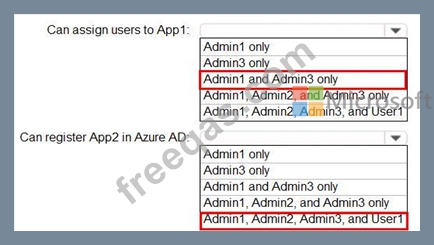
You need to identify who can assign users to App1, and who can register App2 in Azure AD.
What should you identify? To answer, select the appropriate options in the answer area.
NOTE: Each correct selection is worth one point.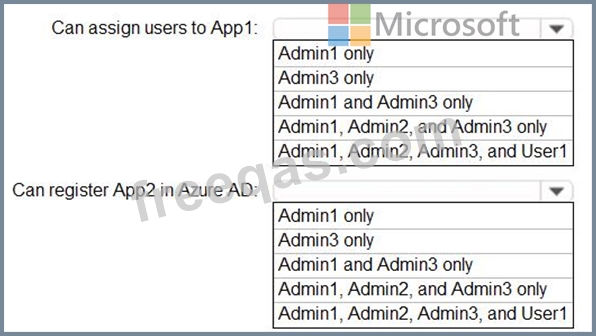
You need to configure the MFA settings for users who connect from the Boston office. The solution must meet the authentication requirements and the access requirements.
What should you configure?
You have a Microsoft 365 tenant.
All users must use the Microsoft Authenticator app for multi-factor authentication (MFA) when accessing Microsoft 365 services.
Some users report that they received an MFA prompt on their Microsoft Authenticator app without initiating a sign-in request.
You need to block the users automatically when they report an MFA request that they did not Initiate.
Solution: From the Azure portal, you configure the Fraud alert settings for multi-factor authentication (MFA).
Does this meet the goal?
You have a Microsoft 365 tenant.
The Azure Active Directory (Azure AD) tenant syncs to an on-premises Active Directory domain. The domain contains the servers shown in the following table.
The domain controllers are prevented from communicating to the internet.
You implement Azure AD Password Protection on Server1 and Server2.
You deploy a new server named Server4 that runs Windows Server 2019.
You need to ensure that Azure AD Password Protection will continue to work if a single server fails.
What should you implement on Server4?

