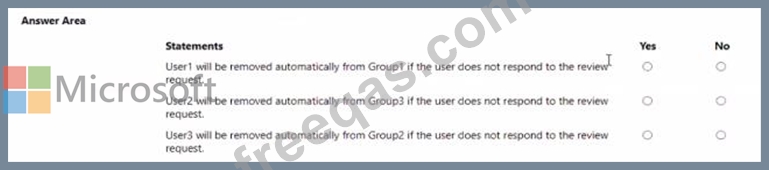
You have a Microsoft 365 tenant named contoso.com.
Guest user access is enabled.
Users are invited to collaborate with contoso.com as shown in the following table.
From the External collaboration settings in the Azure Active Directory admin center, you configure the Collaboration restrictions settings as shown in the following exhibit.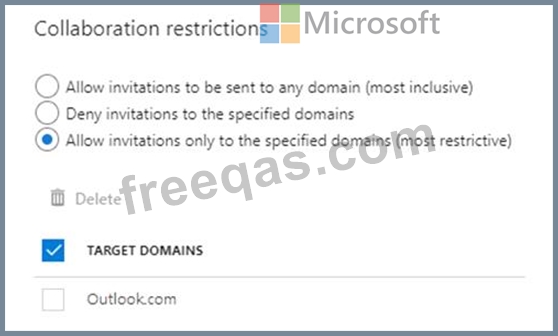
From a Microsoft SharePoint Online site, a user invites [email protected] to the site.
For each of the following statements, select Yes if the statement is true. Otherwise, select No.
NOTE: Each correct selection is worth one point.

Your network contains an on-premises Active Directory domain named contoso.com. The domain contains the objects shown in the following table.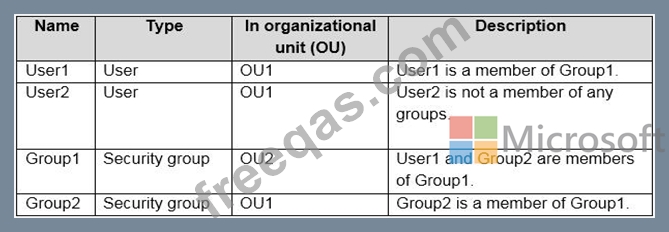
You install Azure AD Connect. You configure the Domain and OU filtering settings as shown in the Domain and OU Filtering exhibit. (Click the Domain and OU Filtering tab.)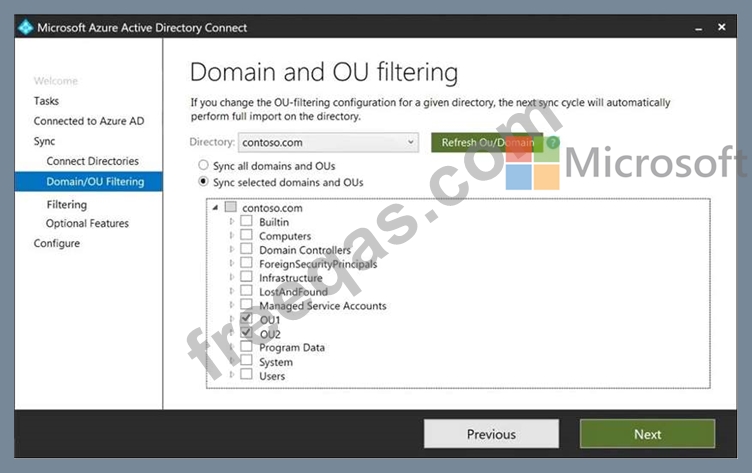
You configure the Filter users and devices settings as shown in the Filter Users and Devices exhibit. (Click the Filter Users and Devices tab.)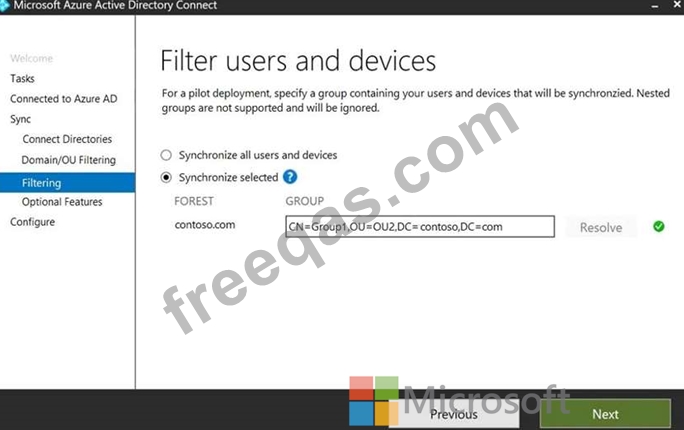
For each of the following statements, select Yes if the statement is true. Otherwise, select No.

You have an Azure Active Directory (Azure AD) tenant that has Security defaults disabled.
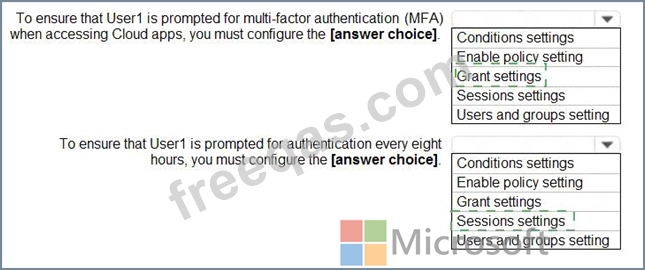
You are creating a conditional access policy as shown in the following exhibit.
Use the drop-down menus to select the answer choice that completes each statement based on the information presented in the graphic.
NOTE: Each correct selection is worth one point.

You have a Microsoft 365 E5 subscription that contains a Microsoft SharePoint Online site named Site!. Site! hosts PDF files You need to prevent users from printing the files directly from Sitel.
Which type of policy should you create in the Microsoft Defender for Cloud Apps portal?
Your network contains an on-premises Active Directory domain that syncs to an Azure Active Directory (Azure AD) tenant.
The tenant contains the groups shown in the following table.
The tenant contains the users shown in the following table.