FreeQAs
 Request Exam  Contact
  • Home
  • View All Exams
  • New QA's
  • Upload
PRACTICE EXAMS:
  • Oracle
  • Fortinet
  • IBM
  • Juniper
  • Microsoft
  • Cisco
  • Citrix
  • CompTIA
  • VMware
  • ISC
  • SAP
  • EMC
  • PMI
  • HP
  • Salesforce
  • Other
  • Oracle
    Oracle
  • Fortinet
    Fortinet
  • IBM
    IBM
  • Juniper
    Juniper
  • Microsoft
    Microsoft
  • Cisco
    Cisco
  • Citrix
    Citrix
  • CompTIA
    CompTIA
  • VMware
    VMware
  • ISC
    ISC
  • SAP
    SAP
  • EMC
    EMC
  • PMI
    PMI
  • HP
    HP
  • Salesforce
    Salesforce
  1. Home
  2. Tableau Certification
  3. TDS-C01 Exam
  4. Tableau.TDS-C01.v2024-01-19.q126 Dumps
  • ««
  • «
  • …
  • 16
  • 17
  • 18
  • 19
  • 20
  • 21
  • 22
  • 23
  • 24
  • 25
  • …
  • »
  • »»
Download Now

Question 96

True or False: It is possible to add a field to more than one hierarchy

Correct Answer: A
Explanation
Yes! It is possible to duplicate a field and add it to more than one hierarchy. Right click and choose duplicate.
insert code

Question 97

Are animations enabled by default in Tableau?

Correct Answer: A
No, by default, animations are not enabled in Tableau.
We can animate visualizations to better highlight changing patterns in your data, reveal spikes and outliers, and see how data points cluster and separate.
Animations visually transition between filter, sort, and zoom settings, different pages, and changes to filter, parameter, and set actions. As visualizations animate in response to these changes, viewers can more clearly see how data differs, helping them make better informed decisions.
When you author animations, you can choose between two different styles: simultaneous or sequential. Here are examples of each type.
1) Simultaneous animations
The default simultaneous animations are faster and work well when showing value changes in simpler charts and dashboards.
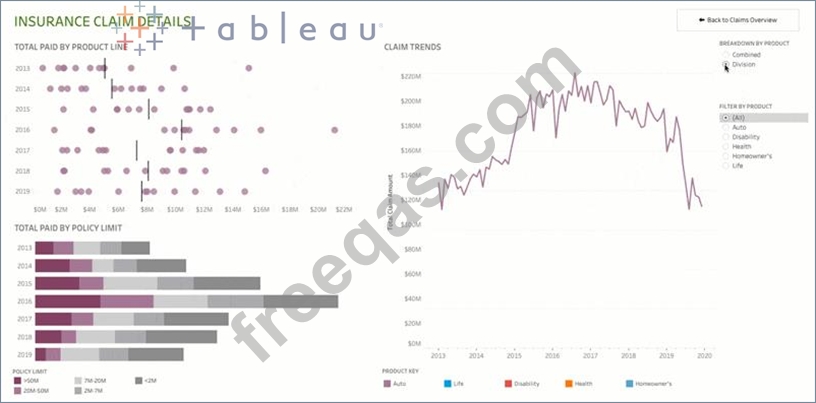
2) Sequential animations
Sequential animations take more time but make complex changes clearer by presenting them step-by-step.
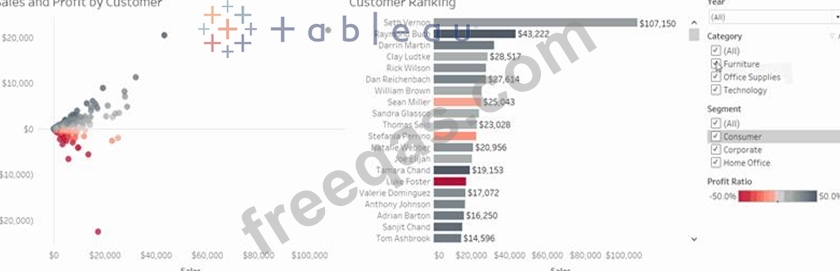
To Animate visualizations in a workbook:
1) Choose Format > Animations.
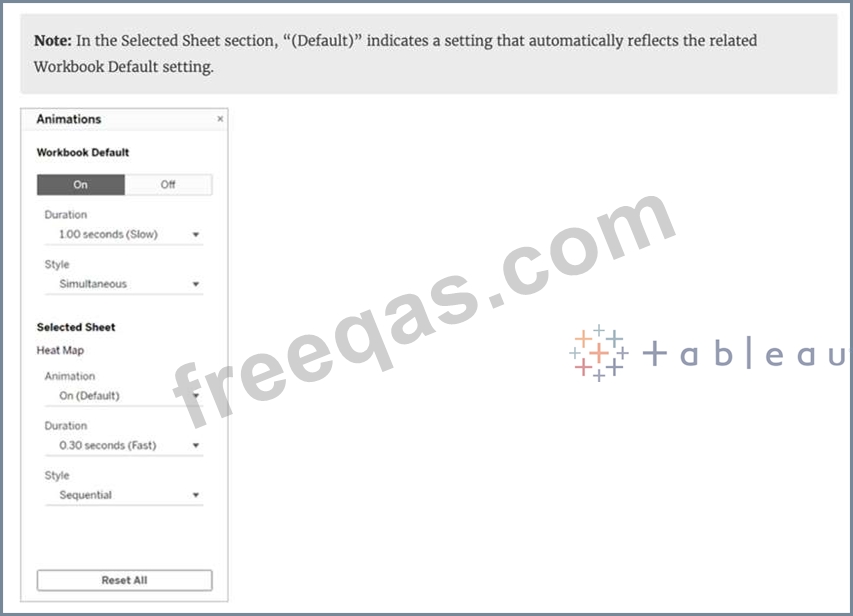
2) If you want to animate every sheet, under Workbook Default, click On. Then do the following:
For Duration, choose a preset, or specify a custom duration of up to 10 seconds.
For Style, choose Simultaneous to play all animations at once or Sequential to fade out marks, move and sort them, and then fade them in.
3) To override workbook defaults for a particular sheet, change the settings under Selected Sheet.
insert code

Question 98

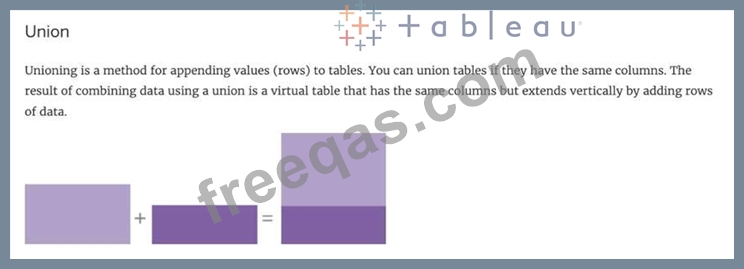
______________ is a method for appending values (rows) to tables. You can use this method if both tables have the same columns. The result is a virtual table that has the same columns but extends vertically by adding rows of data.

Correct Answer: D
Unioning is the correct answer!
From the official documentation:

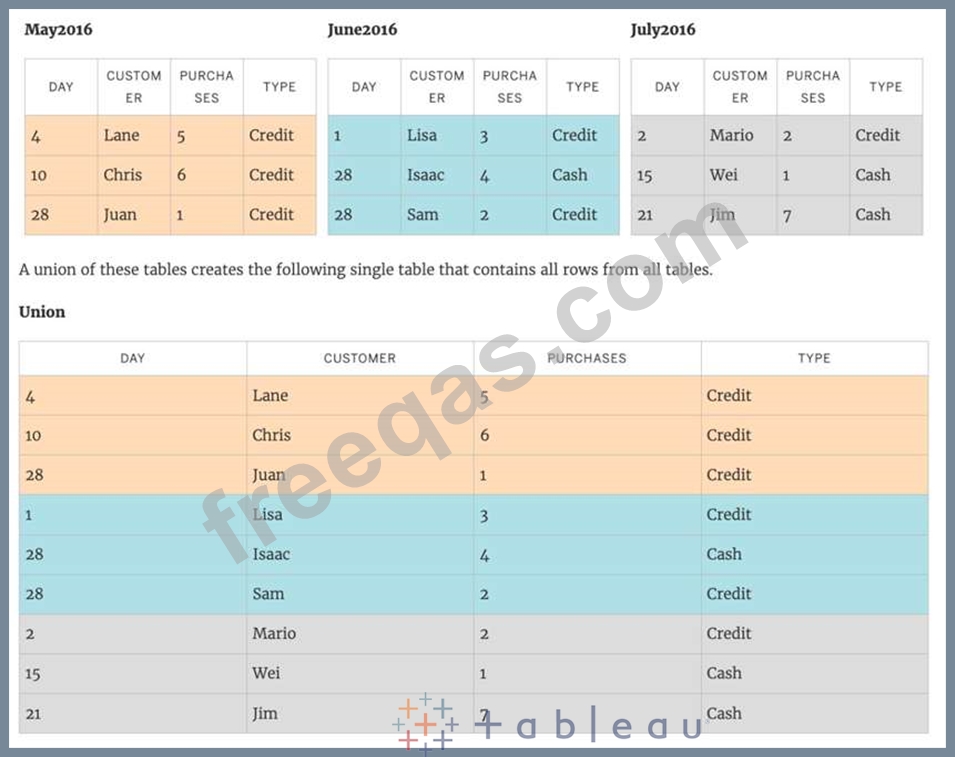
For example, suppose you have the following customer purchase information stored in three tables, separated by month. The table names are "May2016" , "June2016" and "July2016."
insert code

Question 99

Question 45: Skipped
You have just created a histogram and now want to be able to change the size of bins dynamically. Using which of the following will easily satisfy your requirement?

Correct Answer: D
A parameter is a global placeholder value such as a number, date, or string that can replace a constant value in a calculation, filter, or reference line.
For example, you may create a calculated field that returns True if Sales is greater than $500,000 and otherwise returns False. You can replace the constant value of "500000" in the formula with a parameter. Then, using the parameter control, you can dynamically change the threshold in your calculation.
For example -
insert code

Question 100

_____________ contains the visualisations, info needed to build the visualisations, and a copy of the data source.

Correct Answer: B
Explanation
TWBX is all in one. It contains viz, info needed to build the viz, and a copy of the data source. It doesn't contain extracts of the data but can contain both live and data extracts. Best if want to eliminate the barrier of data access.
Create a .twbx with file-based data sources
1) Select File > Save As.
2) Specify a file name for the packaged workbook in the Save As dialog box.

3)Select Tableau Packaged Workbooks on the Save as type drop-down list.
4) Click Save.
5) The default location is the Workbooks folder of the Tableau repository. However, you can save packaged workbooks to any directory you choose.
The following files are included in packaged workbooks:
--> Background images
--> Custom geocoding
--> Custom shapes
--> Local cube files
--> Microsoft Access files
--> Microsoft Excel files
--> Tableau extract files (.hyper or .tde)
--> Text files (.csv, .txt, etc.)
insert code
  • ««
  • «
  • …
  • 16
  • 17
  • 18
  • 19
  • 20
  • 21
  • 22
  • 23
  • 24
  • 25
  • …
  • »
  • »»
[×]

Download PDF File

Enter your email address to download Tableau.TDS-C01.v2024-01-19.q126 Dumps

Email:

FreeQAs

Our website provides the Largest and the most Latest vendors Certification Exam materials around the world.

Using dumps we provide to Pass the Exam, we has the Valid Dumps with passing guranteed just which you need.

  • DMCA
  • About
  • Contact Us
  • Privacy Policy
  • Terms & Conditions
©2026 FreeQAs

www.freeqas.com materials do not contain actual questions and answers from Cisco's certification exams.