When creating a Security Posture Policy in Forcepoint DSPM, which field uses a GQL query to identify the data asset?
Correct Answer: C
The correct answer is C. Data Mapping . In Forcepoint DSPM, Security Posture Policies are used to define and govern critical business data assets, often referred to as crown-jewel data. Each policy represents a managed data asset associated with a department, owner, and query-based definition. The Data Mapping field is where the administrator enters or edits the GQL query that identifies which files or records belong to that data asset. Forcepoint's documentation explicitly lists Asset Name , Department , Data Owner , and Data Mapping as required Security Posture Policy details, and defines Data Mapping as "a GQL query used to identify the data asset within the DSPM database." This distinction matters because Asset Name is only the business label, Department assigns responsibility to a business unit, and Data Owner identifies the person or group accountable for monitoring and compliance. The actual technical selection logic is contained in Data Mapping , where GQL can match data across sources such as SMB and SharePoint using query criteria like source and path. References/topics: Policy Center, Data Register, Security Posture Policies, Data Mapping, GQL, Data Asset Inventory .
Question 7
How are data owners defined in Forcepoint DSPM?
Correct Answer: C
In Forcepoint DSPM, data ownership is treated as an explicit governance assignment tied to the organisation's data asset inventory and data sources, not as a passive attribute inferred only from file metadata or imported directory fields. The closest correct option is C , because ownership is assigned at the data storage/data source or data asset level so that accountability, alert routing, review responsibility, and remediation workflows have a clearly identified business owner. Forcepoint documentation describes the Data Asset Inventory workflow as requiring organisations to "assign an owner" for each asset and states that DSPM can "assign specific data owners to each data source." This aligns with DSPM's governance model: the owner is the accountable stakeholder for the data asset, not merely the technical file creator or last modifier. Release notes also describe a Data Owner column on the Data Assets page, where ownership may be automatically selected based on department owner and manually changed by the user. Therefore, A is incorrect because policies define controls and requirements, not the owner itself. B is too narrow because imported user properties support identity context but do not alone define data ownership. D is incorrect because file owner metadata is not the authoritative ownership model for DSPM governance. References/topics: Data Register, Data Asset Inventory, Data Ownership, Controls Orchestration, Access Governance .
Question 8
What is the role of the File Audit Log in Forcepoint DSPM?
Correct Answer: D
The correct answer is D. To display the status of data scanning and any errors . In Forcepoint DSPM, the File Audit Log is tied to scan processing and file-level scan events. Forcepoint's GQL reference defines the File Audit Log as "events associated with scanning of files," and lists fields such as source , eventType , functionalityName , moduleName , createdAt , message , path , fileId , scanId , and configurationId . Those fields are designed to explain what happened to a file during the scan/classification process, including the relevant scan, module, event, and message detail. This aligns with the scan analytics workflow. Forcepoint documents that when files are not classified, the interface can show the event indicating the classification failure, the file path, and the reason for the failure. It then allows the user to view the file audit log filtered by not-classified events, scan, and reason. The other options describe different DSPM views. File access permissions are handled through access governance, discovered-file totals appear in scan analytics summaries, and last access information is a separate file activity or metadata concept. References/topics: Scan Analytics, File Audit Log, GQL File Audit Log Dataset, Scan Events, Classification Errors .
Question 9
Why is it important to assign a data owner in each department in Forcepoint DSPM?
Correct Answer: B
Question 10
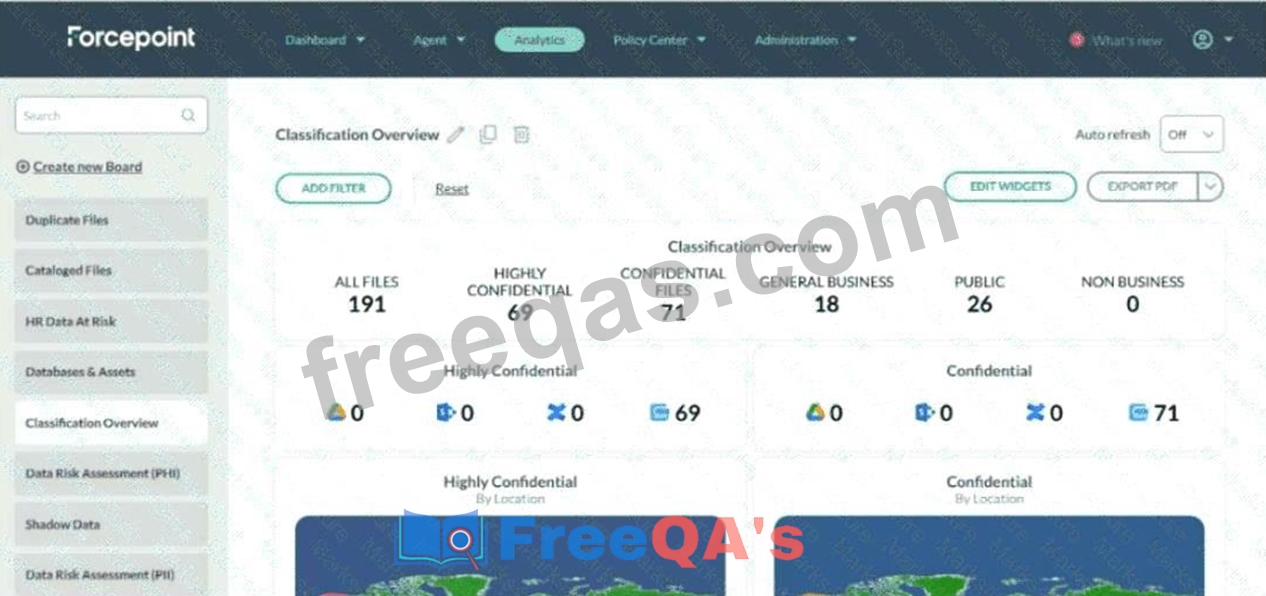
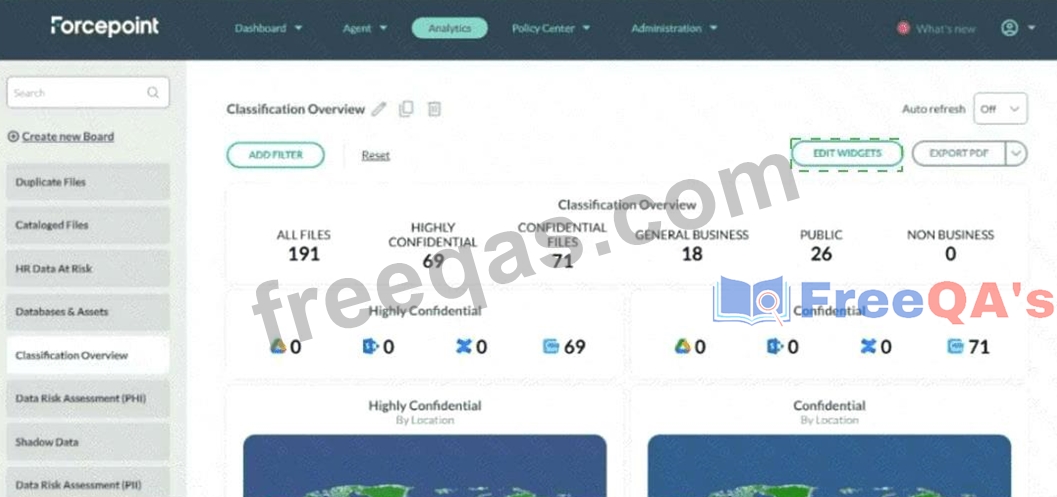
Ella needs to add a panel to the following dashboard. Where would she click to have access to add a panel to the dashboard?
Correct Answer:
Explanation: Click EDIT WIDGETS in the upper-right area of the dashboard. Ella should click the EDIT WIDGETS button near the upper-right side of the dashboard, beside the EXPORT PDF button. This control opens the dashboard edit view, which exposes the controls required to modify dashboard content, including adding widgets and adding panels. In the screenshot, the correct click target is the green-outlined EDIT WIDGETS button above the dashboard panels. Forcepoint documents dashboards as being primarily constructed from panels and widgets . A panel is the container that organizes one or more widgets, while widgets display selected datasets such as files, trustees, connectors, agents, or other DSPM analytics data. The Forcepoint documentation specifically states: "Edit Widgets: Click the Edit Widget button, to open the edit view." It then lists Add widget and Add panel as functions available from that edit mode. Therefore, Ella cannot add a panel by clicking the existing charts, the left navigation list, or the dashboard title. She must first enter edit mode through EDIT WIDGETS , then use the available Add panel option. References/topics: Analytics, Components of a Dashboard, Edit Widgets, Add Panel, Panels and Widgets .