FreeQAs
 Request Exam  Contact
  • Home
  • View All Exams
  • New QA's
  • Upload
PRACTICE EXAMS:
  • Oracle
  • Fortinet
  • Juniper
  • Microsoft
  • Cisco
  • Citrix
  • CompTIA
  • VMware
  • ISC
  • SAP
  • EMC
  • PMI
  • HP
  • Salesforce
  • Other
  • Oracle
    Oracle
  • Fortinet
    Fortinet
  • Juniper
    Juniper
  • Microsoft
    Microsoft
  • Cisco
    Cisco
  • Citrix
    Citrix
  • CompTIA
    CompTIA
  • VMware
    VMware
  • ISC
    ISC
  • SAP
    SAP
  • EMC
    EMC
  • PMI
    PMI
  • HP
    HP
  • Salesforce
    Salesforce
  1. Home
  2. Microsoft Certification
  3. AZ-400 Exam
  4. Microsoft.AZ-400.v2026-08-16.q229 Dumps
  • ««
  • «
  • …
  • 29
  • 30
  • 31
  • 32
  • 33
  • 34
  • 35
  • 36
  • 37
  • 38
  • …
  • »
  • »»
Download Now

Question 161

You manage a project by using Azure Boards, and you manage the project code by using Azure Repos.
You have a bug work item that has an ID of 123.
You need to set the work item state to Resolved.
What should you add to the commit message?

Correct Answer: A
https://learn.microsoft.com/en-us/azure/devops/repos/git/resolution-mentions?view=azure-devops
insert code

Question 162

Hotspot Question
You have an Azure subscription.
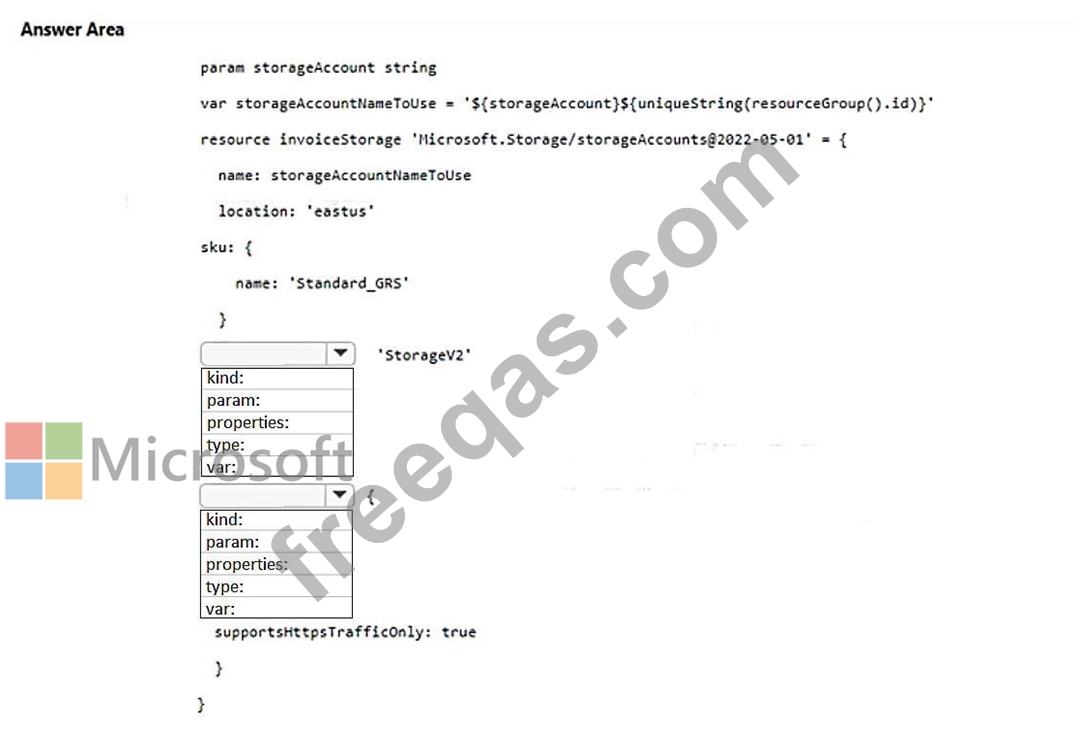
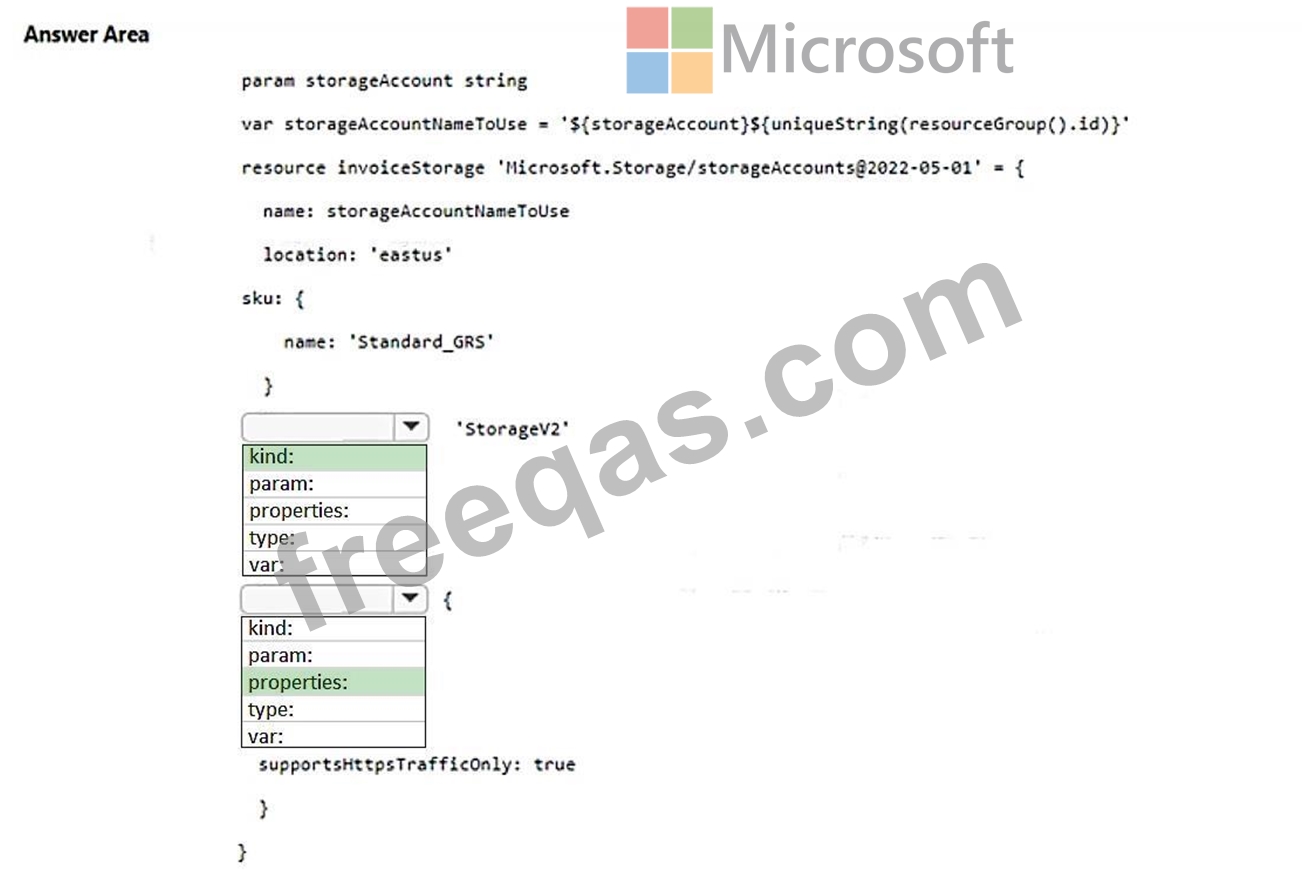
You need to create a storage account by using a Bicep file.
How should you complete the file? To answer, select the appropriate options in the answer area.
NOTE: Each correct selection is worth one point.
Correct Answer:

Explanation:
https://learn.microsoft.com/en-us/azure/azure-resource-manager/bicep/resource- declaration?tabs=azure-powershell#resource-specific-properties
insert code

Question 163

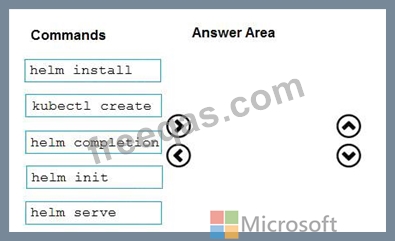
You need to recommend a solution for deploying charts by using Helm and Title to Azure Kubemets Service (AKS) in an RBAC-enabled cluster.
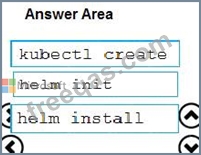
Which three commands should you recommend be run m sequence? To answer, move the appropriate commands from the list of commands to the answer area and arrange them in the correct order.
Correct Answer:

Explanation:

Step 1: Kubectl create
You can add a service account to Tiller using the --service-account <NAME> flag while you're configuring Helm (step 2 below). As a prerequisite, you'll have to create a role binding which specifies a role and a service account name that have been set up in advance.
Example: Service account with cluster-admin role
$ kubectl create -f rbac-config.yaml
serviceaccount "tiller" created
clusterrolebinding "tiller" created
$ helm init --service-account tiller
Step 2: helm init
To deploy a basic Tiller into an AKS cluster, use the helm init command.
Step 3: helm install
To install charts with Helm, use the helm install command and specify the name of the chart to install.
References:
https://docs.microsoft.com/en-us/azure/aks/kubernetes-helm
https://docs.helm.sh/using_helm/#tiller-namespaces-and-rbac
insert code

Question 164

You provision an Azure Kubernetes Service (AKS) cluster that has RBAC enabled. You have a Helm chart for a client application.
You need to configure Helm and Tiller on the cluster and install the chart.
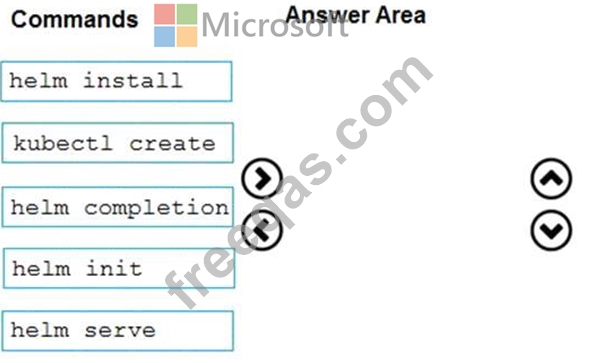
Which three commands should you recommend be run in sequence? To answer, move the appropriate commands from the list of commands to the answer area and arrange them in the correct order.

Correct Answer:

Explanation

Step 1: Kubectl create
You can add a service account to Tiller using the --service-account <NAME> flag while you're configuring Helm (step 2 below). As a prerequisite, you'll have to create a role binding which specifies a role and a service account name that have been set up in advance.
Example: Service account with cluster-admin role
$ kubectl create -f rbac-config.yaml
serviceaccount "tiller" created
clusterrolebinding "tiller" created
$ helm init --service-account tiller
Step 2: helm init
To deploy a basic Tiller into an AKS cluster, use the helm init command.
Step 3: helm install
To install charts with Helm, use the helm install command and specify the name of the chart to install.
References:
https://docs.microsoft.com/en-us/azure/aks/kubernetes-helm
https://docs.helm.sh/using_helm/#tiller-namespaces-and-rbac
insert code

Question 165

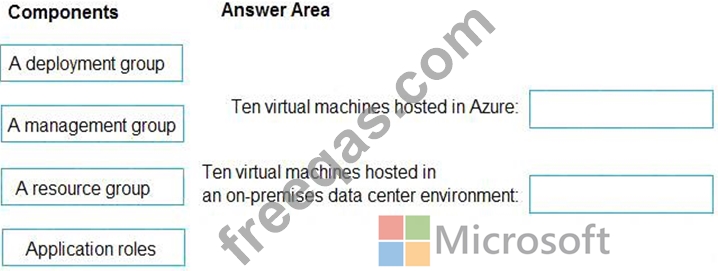
Your company plans to deploy an application to the following endpoints:
* Ten virtual machines hosted in Azure.
* Ten virtual machines hosted in an on-premises data center environment All the virtual machines have the- Azure Pipelines agent.
You need to implement a release strategy for deploying the application to the endpoints.
What should you recommend using to deploy the application to the endpoints? To answer, drag the appropriate components to the correct endpoint.
Each component may be used once, more than once, or not at all. You may need to drag the split bar between panes or soon to view content NOTE: Each correct selection n worth one point.
Correct Answer:

Explanation

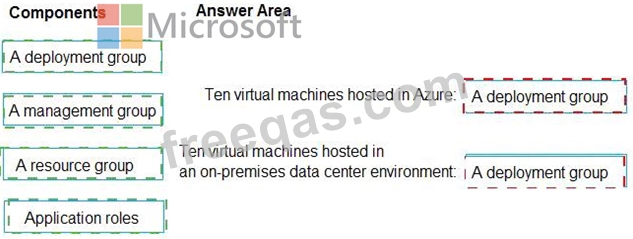
Box 1: A deployment group
When authoring an Azure Pipelines or TFS Release pipeline, you can specify the deployment targets for a job using a deployment group.
If the target machines are Azure VMs, you can quickly and easily prepare them by installing the Azure Pipelines Agent Azure VM extension on each of the VMs, or by using the Azure Resource Group Deployment task in your release pipeline to create a deployment group dynamically.
Box 2: A deployment group
References: https://docs.microsoft.com/en-us/azure/devops/pipelines/release/deployment-groups
insert code
  • ««
  • «
  • …
  • 29
  • 30
  • 31
  • 32
  • 33
  • 34
  • 35
  • 36
  • 37
  • 38
  • …
  • »
  • »»
[×]

Download PDF File

Enter your email address to download Microsoft.AZ-400.v2026-08-16.q229 Dumps

Email:

FreeQAs

Our website provides the Largest and the most Latest vendors Certification Exam materials around the world.

Using dumps we provide to Pass the Exam, we has the Valid Dumps with passing guranteed just which you need.

  • DMCA
  • About
  • Contact Us
  • Privacy Policy
  • Terms & Conditions
©2026 FreeQAs

www.freeqas.com materials do not contain actual questions and answers from Cisco's certification exams.
