FreeQAs
 Request Exam  Contact
  • Home
  • View All Exams
  • New QA's
  • Upload
PRACTICE EXAMS:
  • Oracle
  • Fortinet
  • Juniper
  • Microsoft
  • Cisco
  • Citrix
  • CompTIA
  • VMware
  • ISC
  • SAP
  • EMC
  • PMI
  • HP
  • Salesforce
  • Other
  • Oracle
    Oracle
  • Fortinet
    Fortinet
  • Juniper
    Juniper
  • Microsoft
    Microsoft
  • Cisco
    Cisco
  • Citrix
    Citrix
  • CompTIA
    CompTIA
  • VMware
    VMware
  • ISC
    ISC
  • SAP
    SAP
  • EMC
    EMC
  • PMI
    PMI
  • HP
    HP
  • Salesforce
    Salesforce
  1. Home
  2. Linux Foundation Certification
  3. CKA Exam
  4. LinuxFoundation.CKA.v2022-12-07.q68 Dumps
  • ««
  • «
  • …
  • 6
  • 7
  • 8
  • 9
  • 10
  • 11
  • 12
  • 13
  • 14
  • 15
  • »
Download Now

Question 56

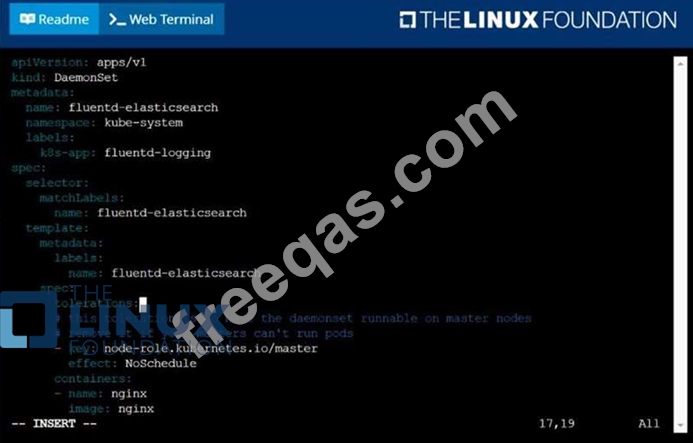
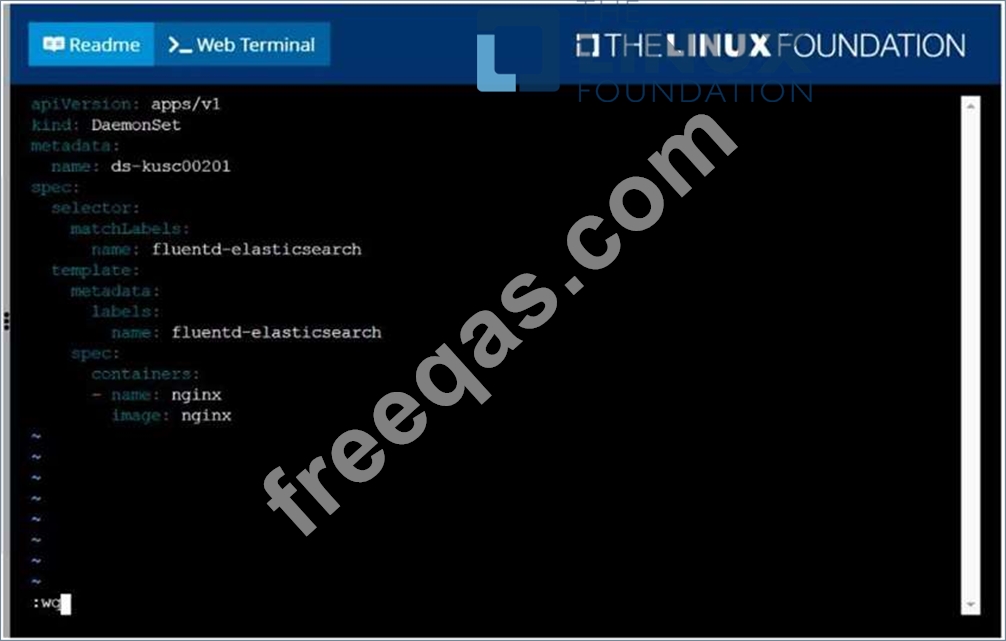
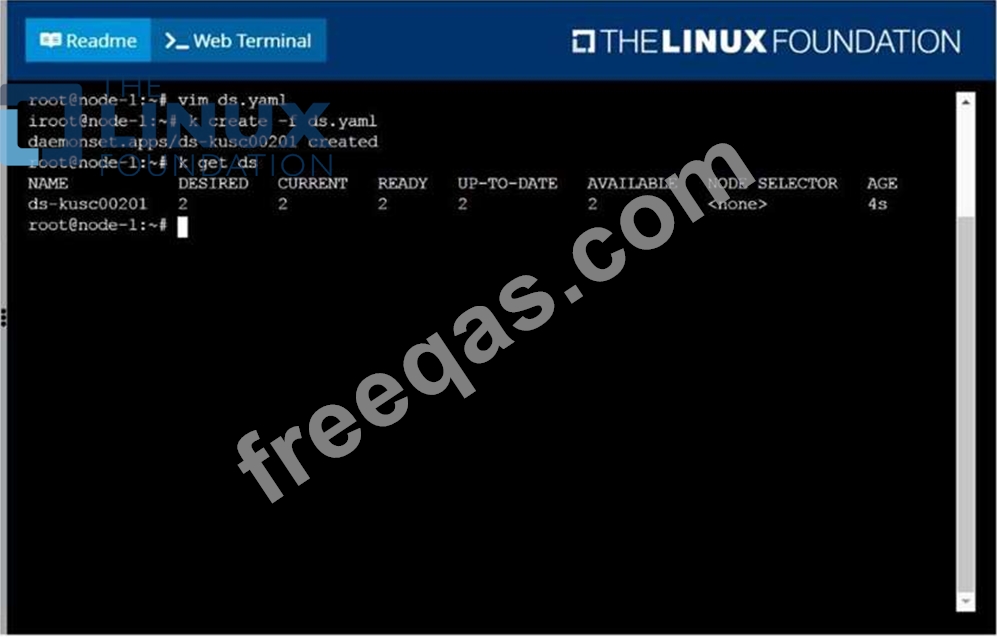
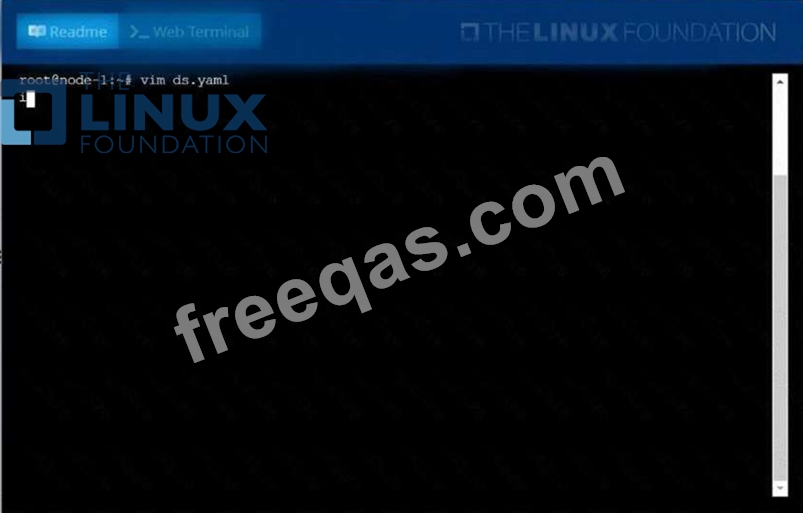
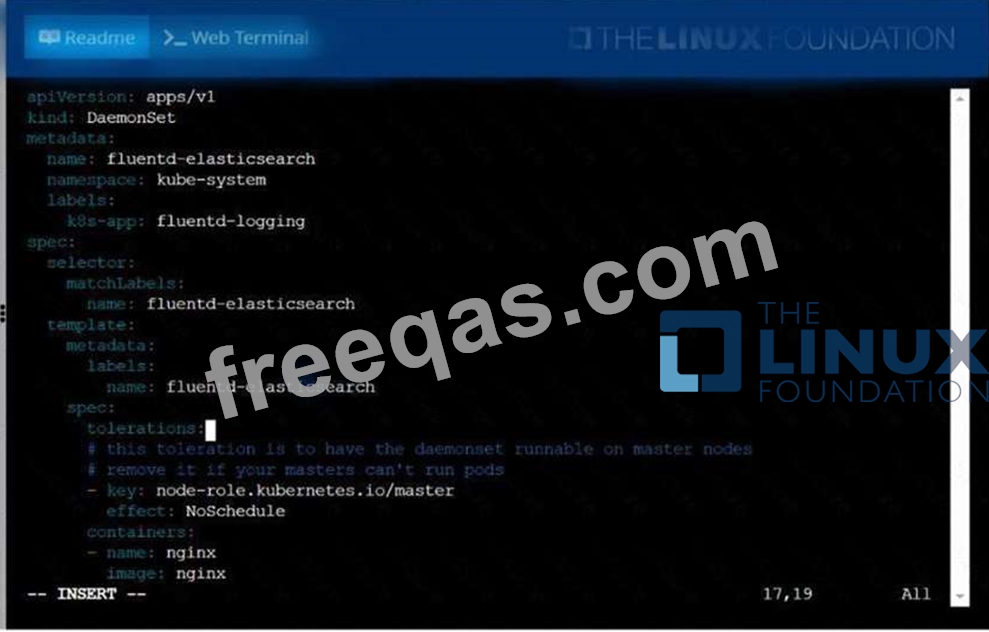
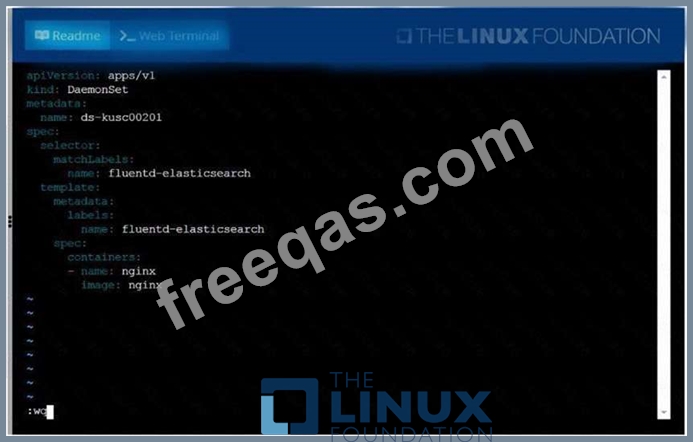
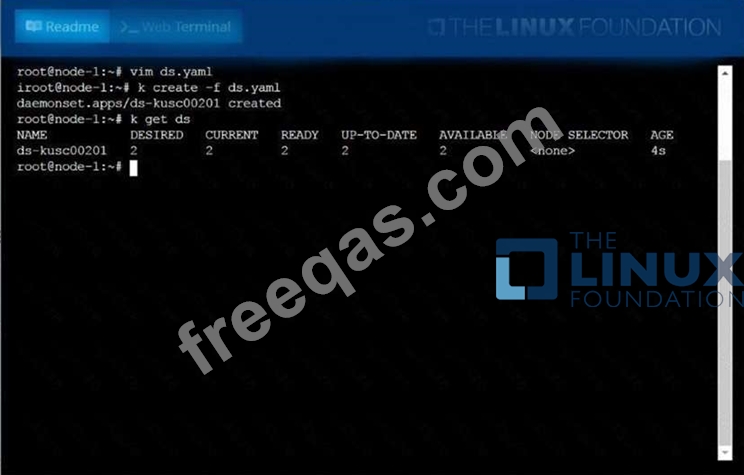
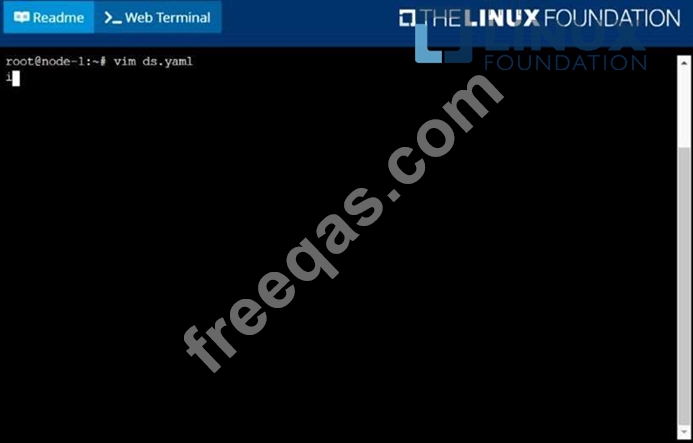
Ensure a single instance of pod nginx is running on each node of the Kubernetes cluster where nginx also represents the Image name which has to be used. Do not override any taints currently in place.
Use DaemonSet to complete this task and use ds-kusc00201 as DaemonSet name.

Correct Answer:
solution


insert code

Question 57

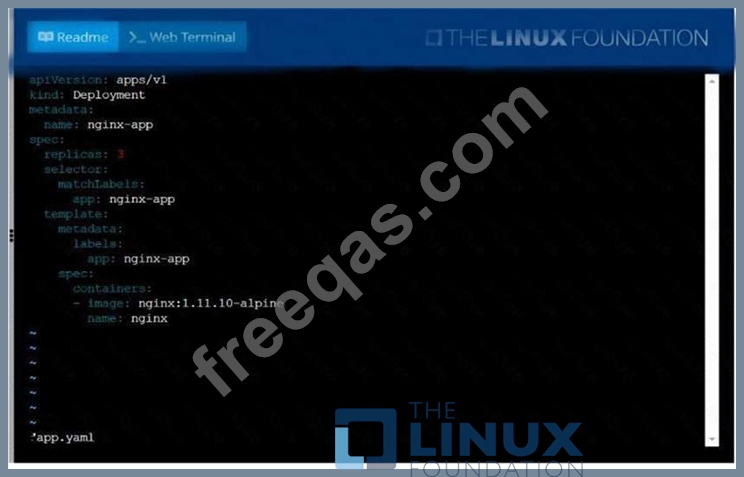
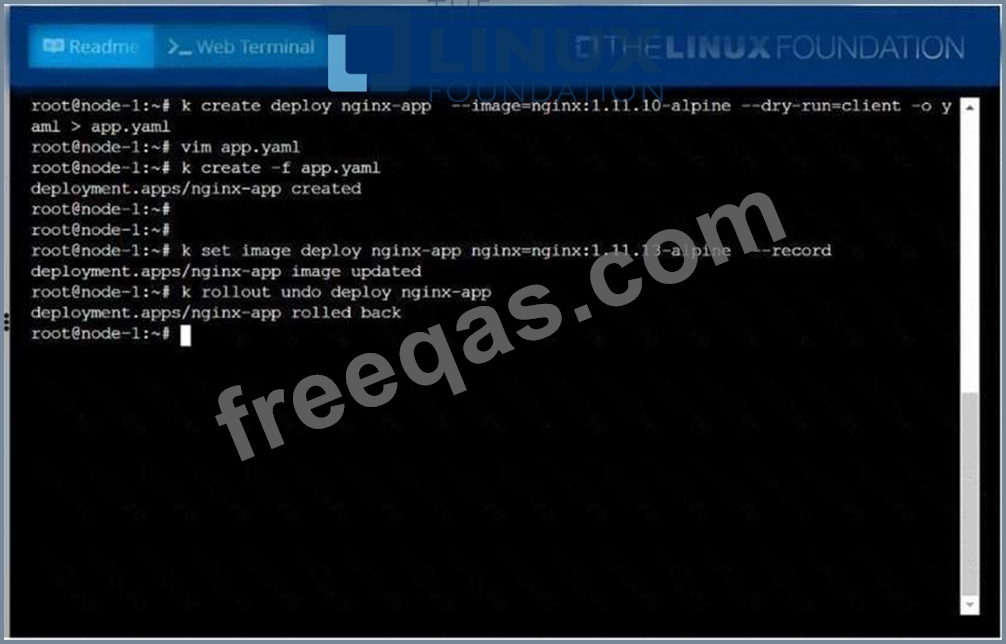
Create a deployment as follows:
* Name: nginx-app
* Using container nginx with version 1.11.10-alpine
* The deployment should contain 3 replicas
Next, deploy the application with new version 1.11.13-alpine, by performing a rolling update.
Finally, rollback that update to the previous version 1.11.10-alpine.

Correct Answer:
See the solution below.
Explanation
solution


insert code

Question 58

Ensure a single instance of podnginxis running on each node of theKubernetes cluster wherenginxalso represents the Image name whichhas to be used. Do not override anytaints currently in place.
UseDaemonSetto complete thistask and useds-kusc00201asDaemonSet name.

Correct Answer:
See the solution below.
Explanation
solution


insert code

Question 59

List all service account and create a service account called "admin"

Correct Answer: A
insert code

Question 60

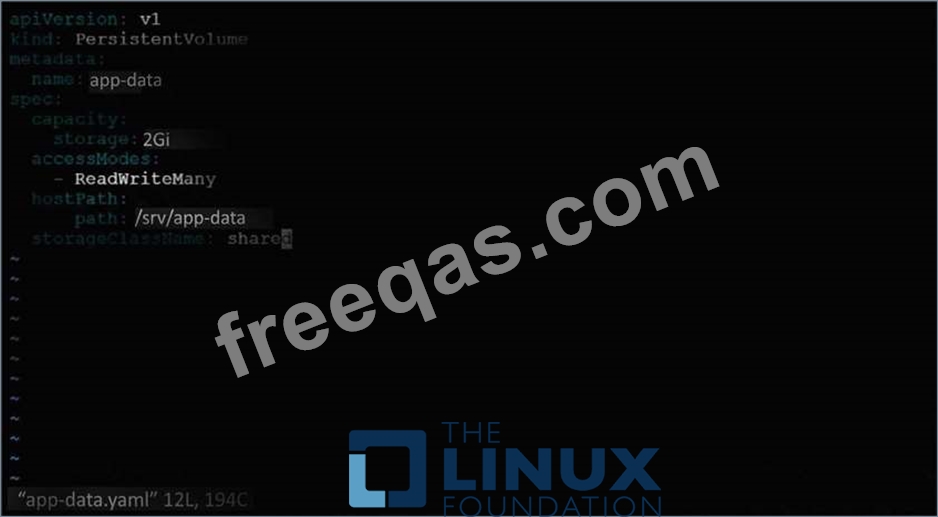
Create a persistent volume with nameapp-data, of capacity2Giandaccess modeReadWriteMany. Thetype of volume ishostPathand itslocation is/srv/app-data.

Correct Answer:
See the solution below.
Explanation
solution
Persistent Volume
A persistent volume is a piece of storage in aKubernetes cluster. PersistentVolumes are a cluster-level resource like nodes, which don't belong to any namespace. It is provisioned by the administrator and has a particular file size. This way, a developer deploying their app on Kubernetes need not knowthe underlying infrastructure.
When the developer needs a certain amount of persistent storage for their application, the system administrator configures the cluster so that they consume the PersistentVolume provisioned in an easy way.
Creating PersistentVolume
kind: PersistentVolumeapiVersion: v1metadata:name:app-dataspec:capacity: # defines the capacity of PV we are creatingstorage:2Gi#the amount of storage we are tying to claimaccessModes: # defines the rights of the volumewe are creating-ReadWriteManyhostPath:path: "/srv/app-data" # path to which we are creating the volume Challenge
* Create a Persistent Volume named ReadWriteMany, storage classname
shared,2Giof storage capacity and the host path
2. Save the file and create the persistent volume.
Image for post

3. View the persistent volume.

* Our persistent volume status is available meaning it is available and it has not been mounted yet. This status willchange when we mount the persistentVolume to a persistentVolumeClaim.
PersistentVolumeClaim
In a real ecosystem, a system admin will create the PersistentVolume then a developer will create a PersistentVolumeClaim which will be referenced in a pod. A PersistentVolumeClaim is created by specifying the minimum size and the access mode they require from the persistentVolume.
Challenge
* Create a Persistent Volume Claim that requests the Persistent Volume we had created above. The claim should request 2Gi. Ensurethat the Persistent Volume Claim has the same storageClassName as the persistentVolume you had previously created.
kind: PersistentVolumeapiVersion: v1metadata:name:
spec:
accessModes:-ReadWriteManyresources:
requests:storage:2Gi
storageClassName:shared
2. Save and create the pvc
njerry191@cloudshell:~(extreme-clone-2654111)$ kubect1 create -f app-data.yaml persistentvolumeclaim/app-data created
3. View the pvc
Image for post

4. Let's see what has changed in the pv we had initially created.
Image for post

Our status has now changed fromavailabletobound.
5. Create a new pod named myapp with image nginx that will be used to Mount the Persistent Volume Claim with the path /var/app/config.
Mounting a Claim
apiVersion: v1kind: Podmetadata:creationTimestamp: nullname: app-dataspec:volumes:- name:congigpvcpersistenVolumeClaim:claimName: app-datacontainers:- image: nginxname:
appvolumeMounts:- mountPath: "
insert code
  • ««
  • «
  • …
  • 6
  • 7
  • 8
  • 9
  • 10
  • 11
  • 12
  • 13
  • 14
  • 15
  • »
[×]

Download PDF File

Enter your email address to download LinuxFoundation.CKA.v2022-12-07.q68 Dumps

Email:

FreeQAs

Our website provides the Largest and the most Latest vendors Certification Exam materials around the world.

Using dumps we provide to Pass the Exam, we has the Valid Dumps with passing guranteed just which you need.

  • DMCA
  • About
  • Contact Us
  • Privacy Policy
  • Terms & Conditions
©2026 FreeQAs

www.freeqas.com materials do not contain actual questions and answers from Cisco's certification exams.