FreeQAs
 Request Exam  Contact
  • Home
  • View All Exams
  • New QA's
  • Upload
PRACTICE EXAMS:
  • Oracle
  • Fortinet
  • Juniper
  • Microsoft
  • Cisco
  • Citrix
  • CompTIA
  • VMware
  • ISC
  • SAP
  • EMC
  • PMI
  • HP
  • Salesforce
  • Other
  • Oracle
    Oracle
  • Fortinet
    Fortinet
  • Juniper
    Juniper
  • Microsoft
    Microsoft
  • Cisco
    Cisco
  • Citrix
    Citrix
  • CompTIA
    CompTIA
  • VMware
    VMware
  • ISC
    ISC
  • SAP
    SAP
  • EMC
    EMC
  • PMI
    PMI
  • HP
    HP
  • Salesforce
    Salesforce
  1. Home
  2. Linux Foundation Certification
  3. CKA Exam
  4. LinuxFoundation.CKA.v2022-12-07.q68 Dumps
  • ««
  • «
  • …
  • 4
  • 5
  • 6
  • 7
  • 8
  • 9
  • 10
  • 11
  • 12
  • 13
  • …
  • »
  • »»
Download Now

Question 36

Create an nginx pod with containerPort 80 and with a PersistentVolumeClaim "task-pv-claim" and has a mouth path "/usr/share/nginx/html"

Correct Answer: A
insert code

Question 37

Create an nginx pod and list the pod with different levels of verbosity

Correct Answer:
See the solution below.
Explanation
// create a pod
kubectl run nginx --image=nginx --restart=Never --port=80
// List the pod with different verbosity
kubectl get po nginx --v=7
kubectl get po nginx --v=8
kubectl get po nginx --v=9
insert code

Question 38

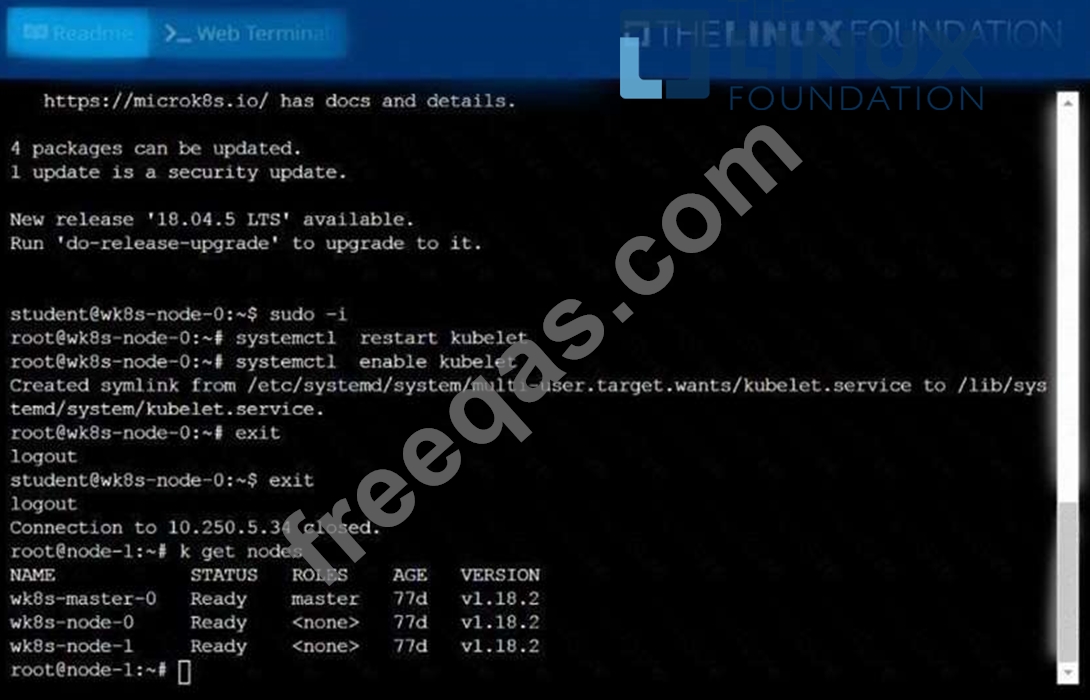
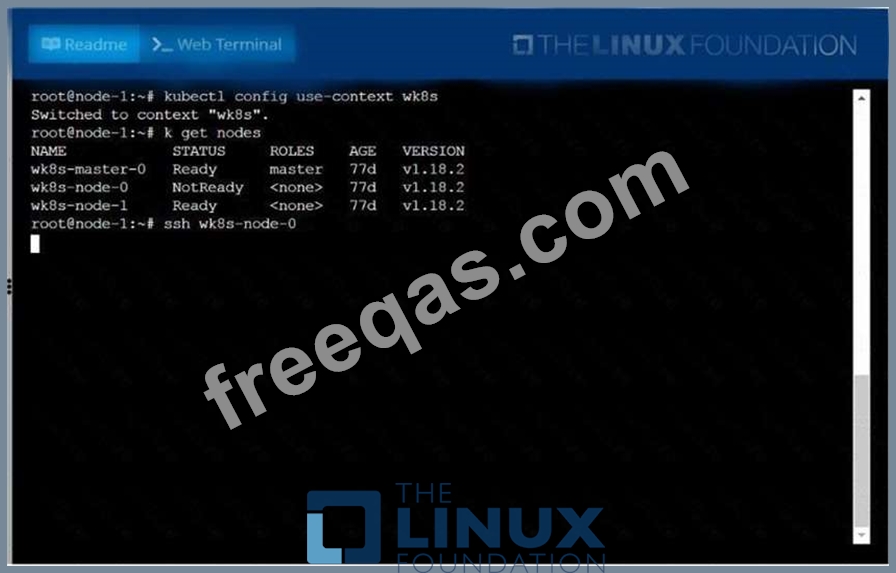
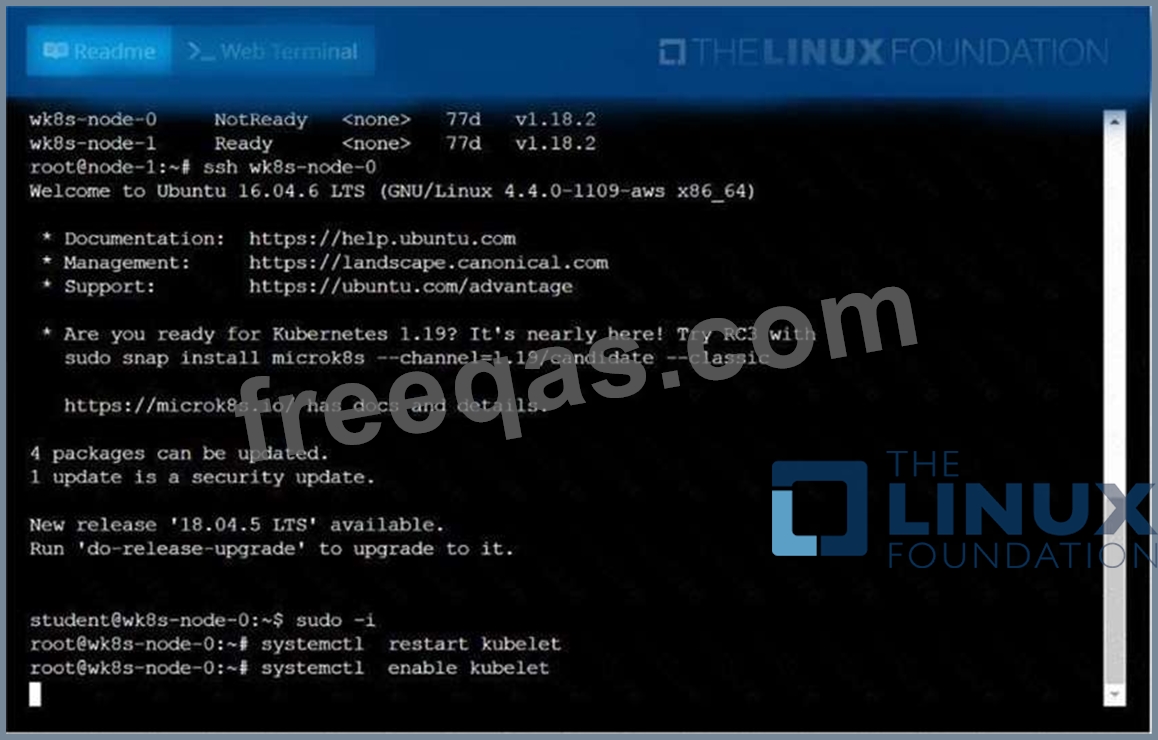
A Kubernetes worker node, named .Investigate why this is the case,
andperform any appropriate steps tobring the node to a state,ensuring that any changes are madepermanent.
You cansshto the failednode using:
[student@node-1] $ | sshWk8s-node-0
You can assume elevatedprivileges on the node with thefollowing command:
[student@w8ks-node-0] $ |sudo -i
Correct Answer:
See the solution below.
Explanation
solution


insert code

Question 39

Create a pod with image nginx called nginx and allow traffic on port 80

Correct Answer:
kubectl run nginx --image=nginx --restart=Never --port=80
insert code

Question 40

Create the nginx pod with version 1.17.4 and expose it on port 80

Correct Answer:
kubectl run nginx --image=nginx:1.17.4 --restart=Never -- port=80
insert code
  • ««
  • «
  • …
  • 4
  • 5
  • 6
  • 7
  • 8
  • 9
  • 10
  • 11
  • 12
  • 13
  • …
  • »
  • »»
[×]

Download PDF File

Enter your email address to download LinuxFoundation.CKA.v2022-12-07.q68 Dumps

Email:

FreeQAs

Our website provides the Largest and the most Latest vendors Certification Exam materials around the world.

Using dumps we provide to Pass the Exam, we has the Valid Dumps with passing guranteed just which you need.

  • DMCA
  • About
  • Contact Us
  • Privacy Policy
  • Terms & Conditions
©2026 FreeQAs

www.freeqas.com materials do not contain actual questions and answers from Cisco's certification exams.