FreeQAs
 Request Exam  Contact
  • Home
  • View All Exams
  • New QA's
  • Upload
PRACTICE EXAMS:
  • Oracle
  • Fortinet
  • Juniper
  • Microsoft
  • Cisco
  • Citrix
  • CompTIA
  • VMware
  • ISC
  • SAP
  • EMC
  • PMI
  • HP
  • Salesforce
  • Other
  • Oracle
    Oracle
  • Fortinet
    Fortinet
  • Juniper
    Juniper
  • Microsoft
    Microsoft
  • Cisco
    Cisco
  • Citrix
    Citrix
  • CompTIA
    CompTIA
  • VMware
    VMware
  • ISC
    ISC
  • SAP
    SAP
  • EMC
    EMC
  • PMI
    PMI
  • HP
    HP
  • Salesforce
    Salesforce
  1. Home
  2. Linux Foundation Certification
  3. CKA Exam
  4. LinuxFoundation.CKA.v2026-10-12.q90 Dumps
  • ««
  • «
  • …
  • 10
  • 11
  • 12
  • 13
  • 14
  • 15
  • 16
  • 17
  • 18
  • 19
  • »
Download Now

Question 66

Score: 7%

Task
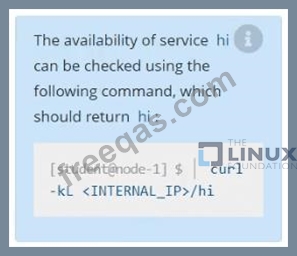
Create a new nginx Ingress resource as follows:
* Name: ping
* Namespace: ing-internal
* Exposing service hi on path /hi using service port 5678
Correct Answer:
Solution:
vi ingress.yaml
#
apiVersion: networking.k8s.io/v1
kind: Ingress
metadata:
name: ping
namespace: ing-internal
spec:
rules:
- http:
paths:
- path: /hi
pathType: Prefix
backend:
service:
name: hi
port:
number: 5678
#
kubectl create -f ingress.yaml
insert code

Question 67

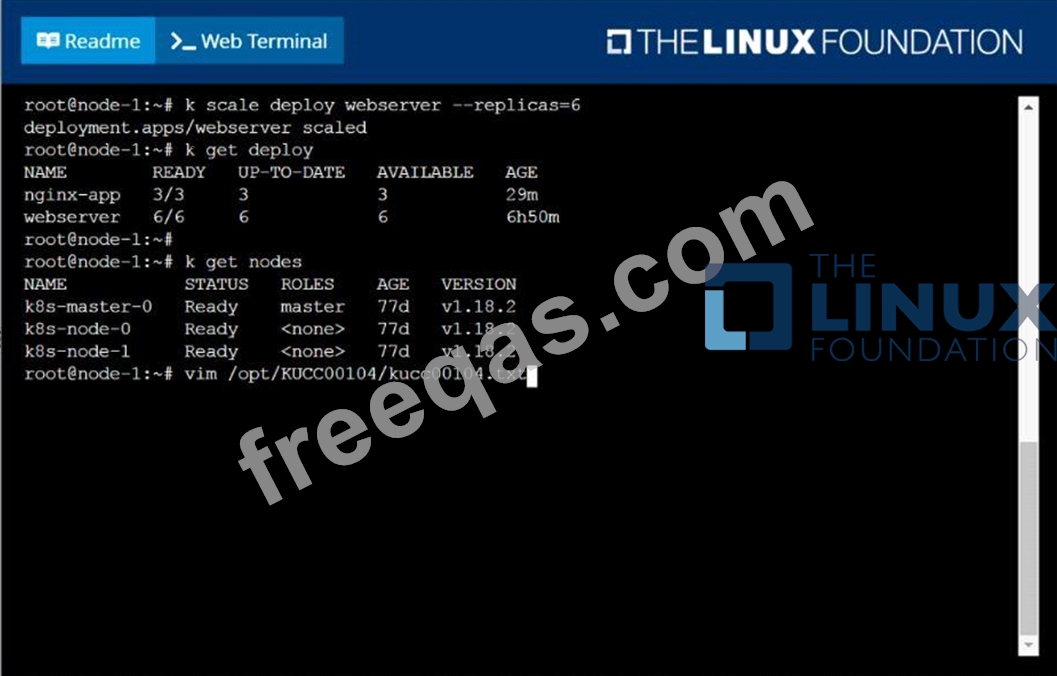
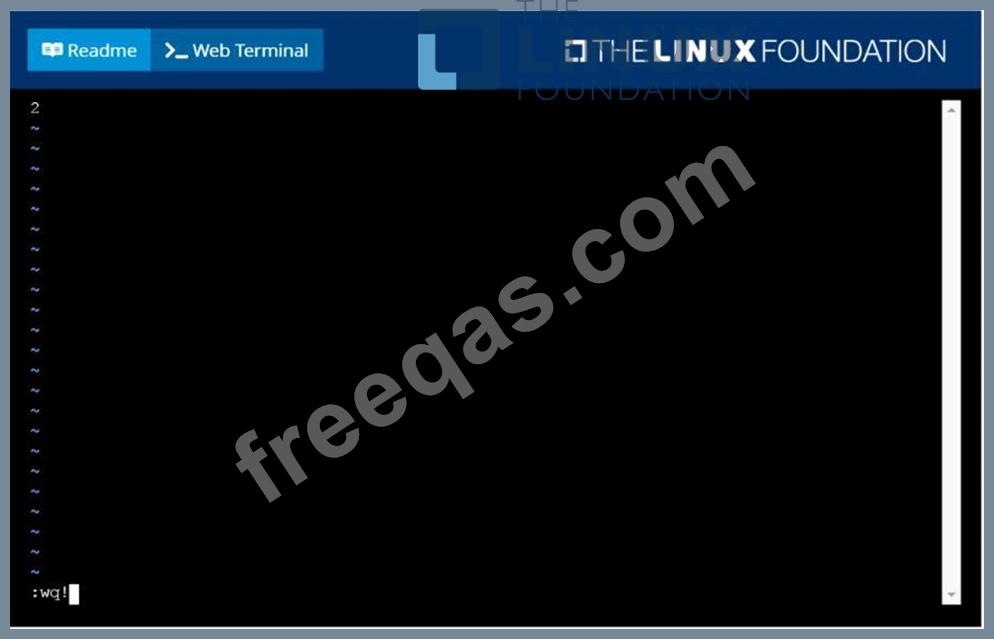
Check to see how many worker nodes are ready (not including nodes tainted NoSchedule) and write the number to /opt/KUCC00104/kucc00104.txt.
Correct Answer:
solution

insert code

Question 68

You must connect to the correct host.
Failure to do so may result in a zero score.
[candidate@base] $ ssh Cka000047
Task
A MariaDB Deployment in the mariadb namespace has been deleted by mistake. Your task is to restore the Deployment ensuring data persistence. Follow these steps:
Create a PersistentVolumeClaim (PVC ) named mariadb in the mariadb namespace with the following specifications:
Access mode ReadWriteOnce
Storage 250Mi
You must use the existing retained PersistentVolume (PV ).
Failure to do so will result in a reduced score.
There is only one existing PersistentVolume .
Edit the MariaDB Deployment file located at ~/mariadb-deployment.yaml to use PVC you created in the previous step.
Apply the updated Deployment file to the cluster.
Ensure the MariaDB Deployment is running and stable.

Correct Answer:
Task Overview
You're restoring a MariaDB deployment in the mariadb namespace with persistent data.
# Tasks:
* SSH into cka000047
* Create a PVC named mariadb:
* Namespace: mariadb
* Access mode: ReadWriteOnce
* Storage: 250Mi
* Use the existing retained PV (there's only one)
* Edit ~/mariadb-deployment.yaml to use the PVC
* Apply the deployment
* Verify MariaDB is running and stable
Step-by-Step Solution
1## SSH into the correct host
ssh cka000047
## Required - skipping = zero score
2## Inspect the existing PersistentVolume
kubectl get pv
# Identify the only existing PV, e.g.:
NAME CAPACITY ACCESS MODES RECLAIM POLICY STATUS CLAIM STORAGECLASS
mariadb-pv 250Mi RWO Retain Available <none> manual
Ensure the status is Available, and it is not already bound to a claim.
3## Create the PVC to bind the retained PV
Create a file mariadb-pvc.yaml:
cat <<EOF > mariadb-pvc.yaml
apiVersion: v1
kind: PersistentVolumeClaim
metadata:
name: mariadb
namespace: mariadb
spec:
accessModes:
- ReadWriteOnce
resources:
requests:
storage: 250Mi
volumeName: mariadb-pv # Match the PV name exactly
EOF
Apply the PVC:
kubectl apply -f mariadb-pvc.yaml
# This binds the PVC to the retained PV.
4## Edit the MariaDB Deployment YAML
Open the file:
nano ~/mariadb-deployment.yaml
Look under the spec.template.spec.containers.volumeMounts and spec.template.spec.volumes sections and update them like so:
Add this under the container:
yaml
CopyEdit
volumeMounts:
- name: mariadb-storage
mountPath: /var/lib/mysql
And under the pod spec:
volumes:
- name: mariadb-storage
persistentVolumeClaim:
claimName: mariadb
# These lines mount the PVC at the MariaDB data directory.
5## Apply the updated Deployment
kubectl apply -f ~/mariadb-deployment.yaml
6## Verify the Deployment is running and stable
kubectl get pods -n mariadb
kubectl describe pod -n mariadb <mariadb-pod-name>
# Ensure the pod is in Running state and volume is mounted.
# Final Command Summary
ssh cka000047
kubectl get pv # Find the retained PV
# Create PVC
cat <<EOF > mariadb-pvc.yaml
apiVersion: v1
kind: PersistentVolumeClaim
metadata:
name: mariadb
namespace: mariadb
spec:
accessModes:
- ReadWriteOnce
resources:
requests:
storage: 250Mi
volumeName: mariadb-pv
EOF
kubectl apply -f mariadb-pvc.yaml
# Edit Deployment
nano ~/mariadb-deployment.yaml
# Add volumeMount and volume to use the PVC as described
kubectl apply -f ~/mariadb-deployment.yaml
kubectl get pods -n mariadb
insert code

Question 69

Create a redis pod and mount "redis-config" as "redis.conf"
inside redis container, name the config volume as "redis-volume"
redis-config path - /opt/redis-config

Correct Answer: B
insert code

Question 70

Create a redis pod and expose it on port 6379

Correct Answer: A
insert code
  • ««
  • «
  • …
  • 10
  • 11
  • 12
  • 13
  • 14
  • 15
  • 16
  • 17
  • 18
  • 19
  • »
[×]

Download PDF File

Enter your email address to download LinuxFoundation.CKA.v2026-10-12.q90 Dumps

Email:

FreeQAs

Our website provides the Largest and the most Latest vendors Certification Exam materials around the world.

Using dumps we provide to Pass the Exam, we has the Valid Dumps with passing guranteed just which you need.

  • DMCA
  • About
  • Contact Us
  • Privacy Policy
  • Terms & Conditions
©2026 FreeQAs

www.freeqas.com materials do not contain actual questions and answers from Cisco's certification exams.
