FreeQAs
 Request Exam  Contact
  • Home
  • View All Exams
  • New QA's
  • Upload
PRACTICE EXAMS:
  • Oracle
  • Fortinet
  • Juniper
  • Microsoft
  • Cisco
  • Citrix
  • CompTIA
  • VMware
  • ISC
  • SAP
  • EMC
  • PMI
  • HP
  • Salesforce
  • Other
  • Oracle
    Oracle
  • Fortinet
    Fortinet
  • Juniper
    Juniper
  • Microsoft
    Microsoft
  • Cisco
    Cisco
  • Citrix
    Citrix
  • CompTIA
    CompTIA
  • VMware
    VMware
  • ISC
    ISC
  • SAP
    SAP
  • EMC
    EMC
  • PMI
    PMI
  • HP
    HP
  • Salesforce
    Salesforce
  1. Home
  2. Linux Foundation Certification
  3. CKA Exam
  4. LinuxFoundation.CKA.v2026-10-12.q90 Dumps
  • ««
  • «
  • …
  • 8
  • 9
  • 10
  • 11
  • 12
  • 13
  • 14
  • 15
  • 16
  • 17
  • …
  • »
  • »»
Download Now

Question 56

Change the Image version to 1.15-alpine for the pod you just created and verify the image version is updated.

Correct Answer: A
insert code

Question 57

Score: 7%

Task
Reconfigure the existing deployment front-end and add a port specification named http exposing port 80/tcp of the existing container nginx.
Create a new service named front-end-svc exposing the container port http.
Configure the new service to also expose the individual Pods via a NodePort on the nodes on which they are scheduled.

Correct Answer:
Solution:
kubectl get deploy front-end
kubectl edit deploy front-end -o yaml
#port specification named http
#service.yaml
apiVersion: v1
kind: Service
metadata:
name: front-end-svc
labels:
app: nginx
spec:
ports:
- port: 80
protocol: tcp
name: http
selector:
app: nginx
type: NodePort
# kubectl create -f service.yaml
# kubectl get svc
# port specification named http
kubectl expose deployment front-end --name=front-end-svc --port=80 --tarport=80 --type=NodePort
insert code

Question 58

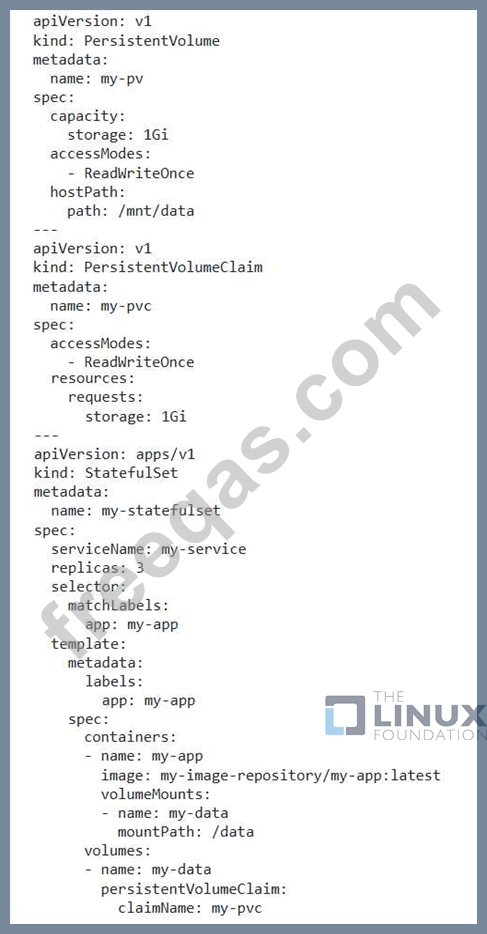
You are running a stateful application using a StatefulSet. How do you ensure that the application data is preserved during a rolling update?
Correct Answer:
See the solution below with Step by Step Explanation.
Explanation:
Solution (Step by Step) :
1. Use Persistent Volumes:
- Use Persistent Volumes (PVs) and Persistent Volume Claims (PVCs) to provide persistent storage for the stateful application data.
- Ensure that the PVCs are mounted to the pods in the StatefulSet.

2. Configure Rolling Updates: - Configure the StatefulSet's updateStrategy' to use a rolling update strategy. - Ensure that the 'updateStrategy.type' is set to 'RollingUpdate'. 3. Validate Data Preservation: - Perform a rolling update by updating the StatefulSet. - Validate that the application data is preserved during the update process. - Check the logs and application state to confirm that the data is intact.
insert code

Question 59

Check nodes which are ready and print it to a file /opt/nodestatus

Correct Answer: A
insert code

Question 60

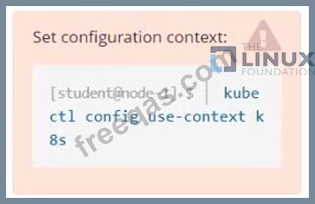
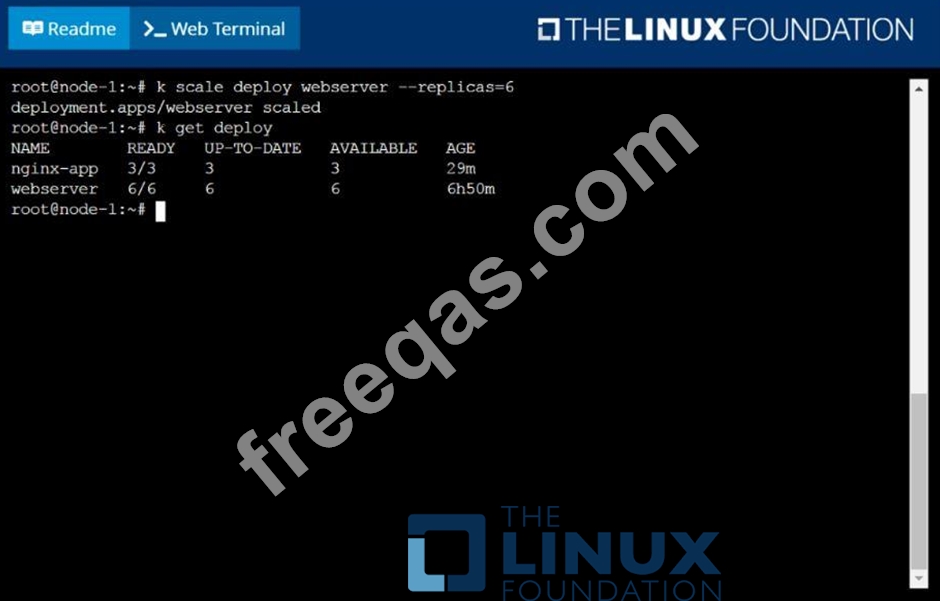
Scale the deployment webserver to

Correct Answer:
See the solution below.
Explanation
solution
F:\Work\Data Entry Work\Data Entry\20200827\CKA\14 B.JPG
insert code
  • ««
  • «
  • …
  • 8
  • 9
  • 10
  • 11
  • 12
  • 13
  • 14
  • 15
  • 16
  • 17
  • …
  • »
  • »»
[×]

Download PDF File

Enter your email address to download LinuxFoundation.CKA.v2026-10-12.q90 Dumps

Email:

FreeQAs

Our website provides the Largest and the most Latest vendors Certification Exam materials around the world.

Using dumps we provide to Pass the Exam, we has the Valid Dumps with passing guranteed just which you need.

  • DMCA
  • About
  • Contact Us
  • Privacy Policy
  • Terms & Conditions
©2026 FreeQAs

www.freeqas.com materials do not contain actual questions and answers from Cisco's certification exams.